


Guide: Buy crypto via SEPA transfer
Web
Method 1
Step 1: Go to the official website and find "Buy Crypto" in the top navigation bar, then enter the "Quick Buy" page.

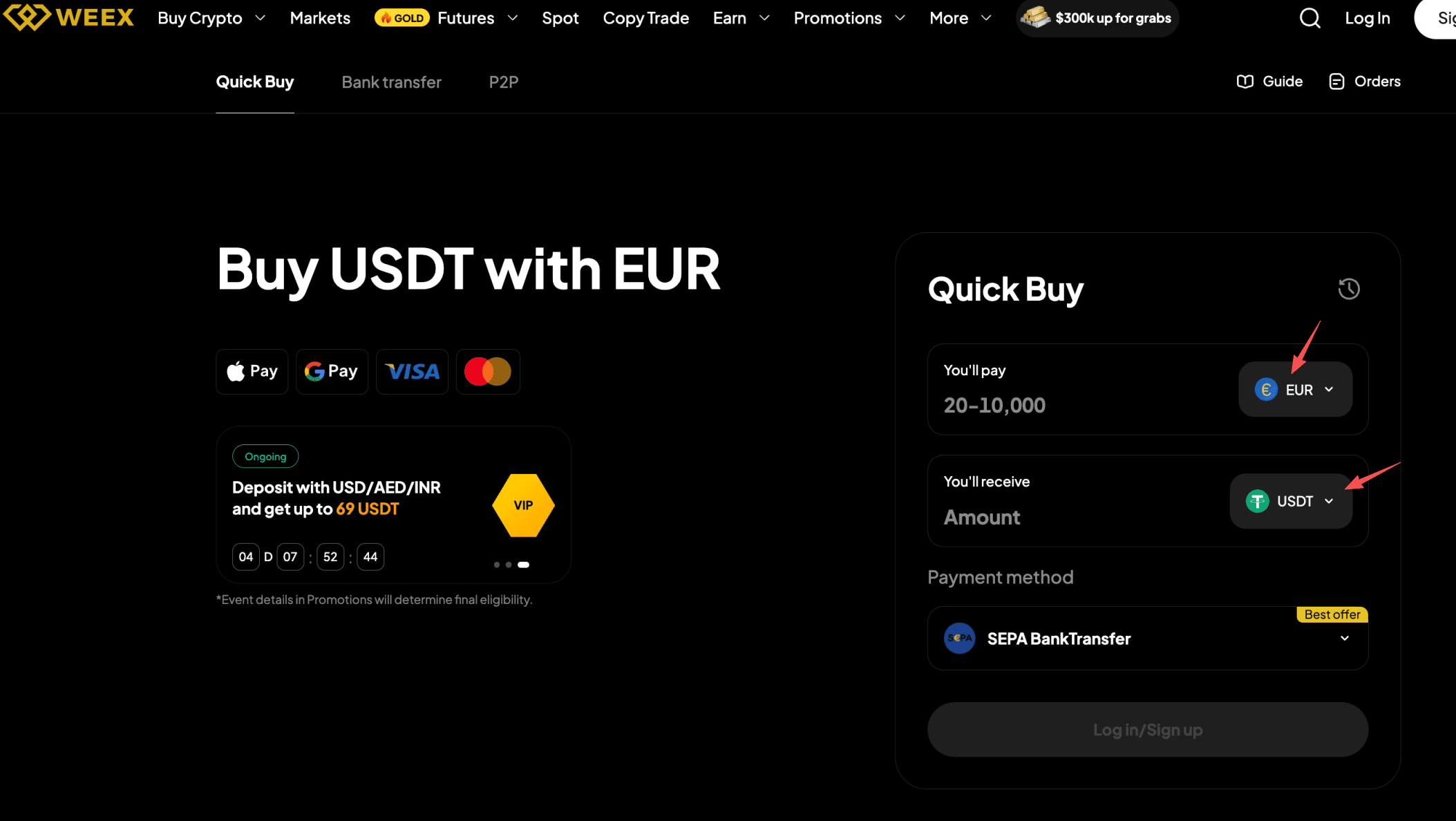
Step 2: Select "EUR" as your fiat currency and "USDT" as the crypto you want to buy. Enter the amount of EUR you'd like to pay, and the crypto amount will be calculated automatically.
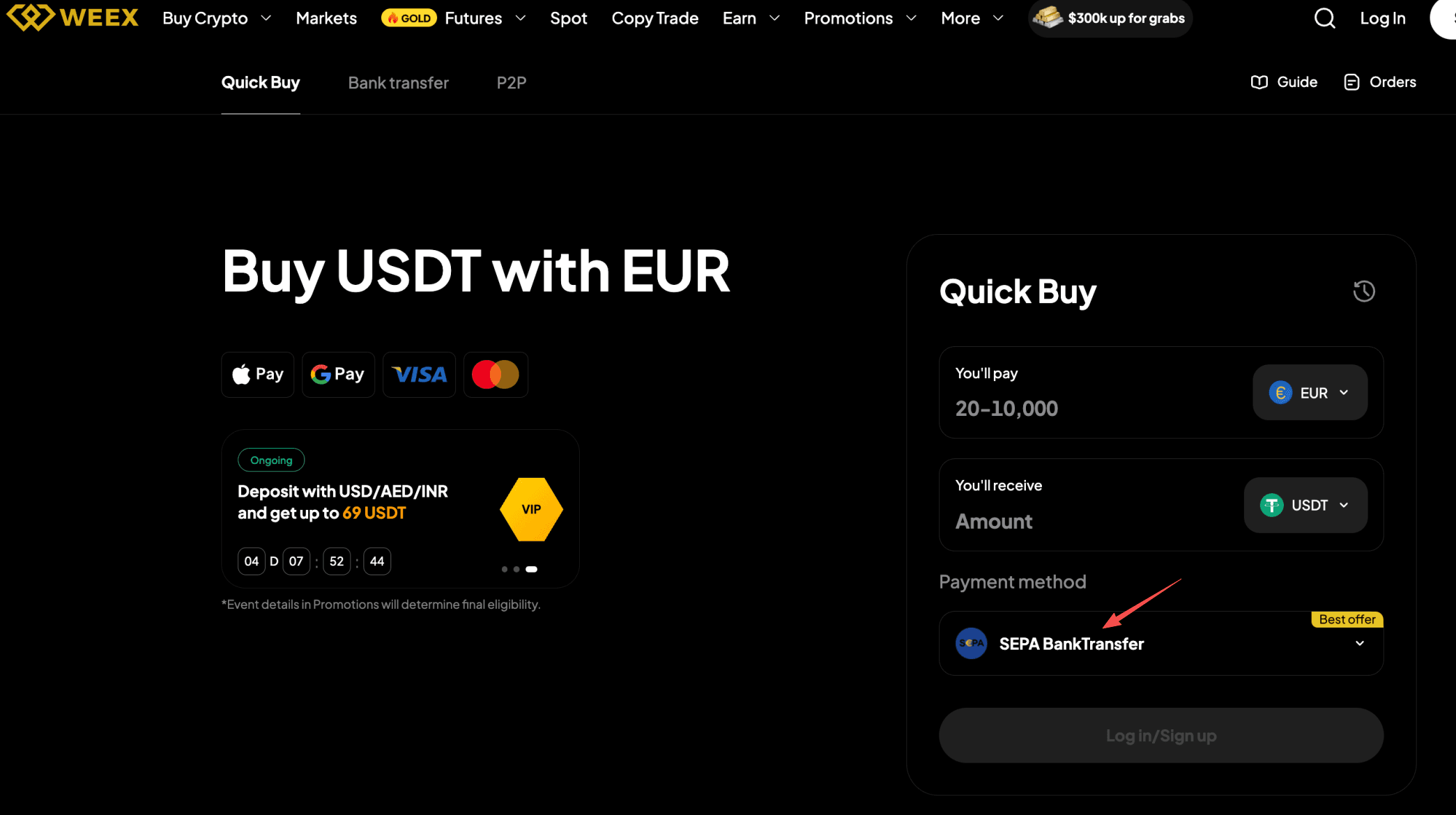
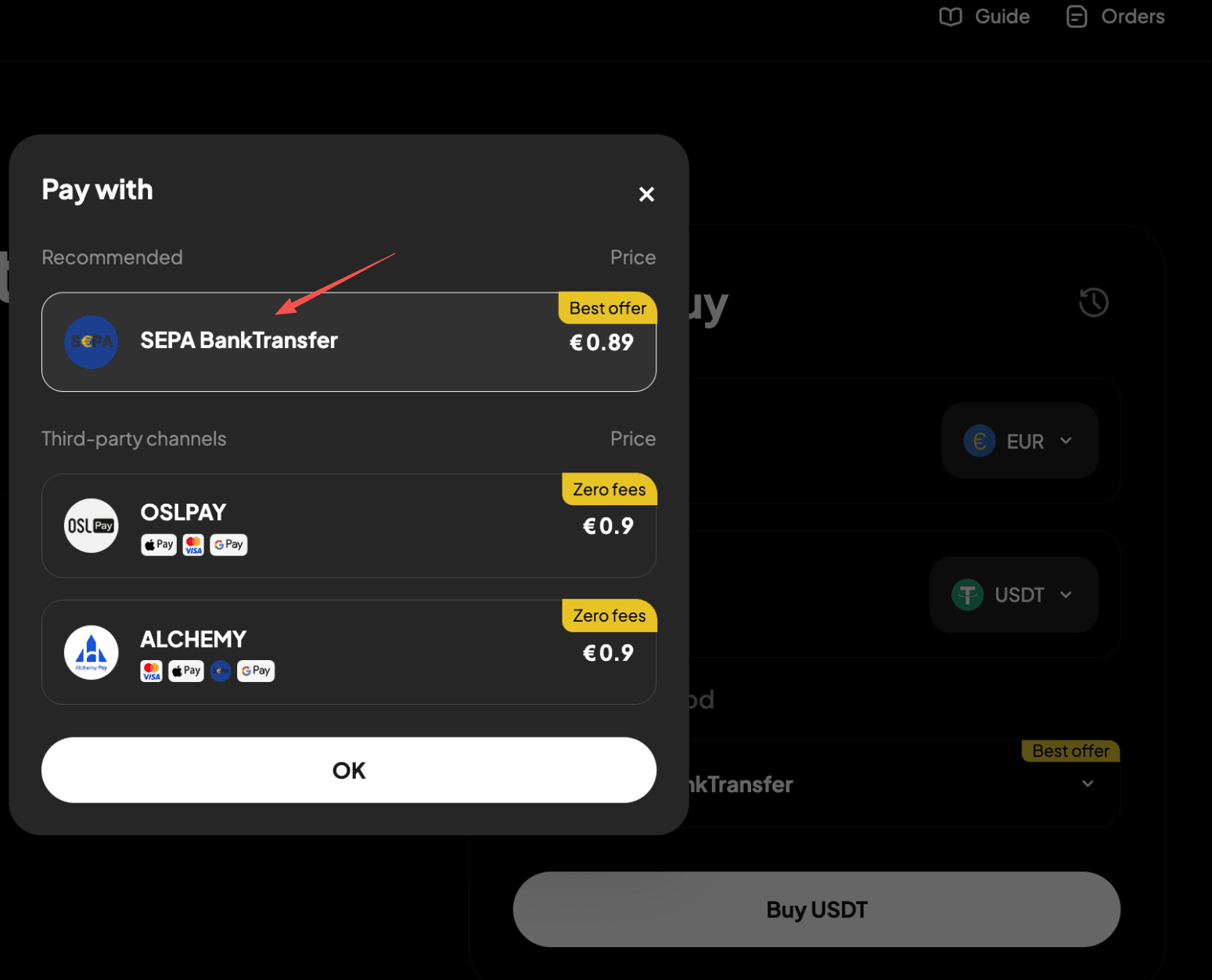
Step 3: Choose "SEPA (Bank Transfer)" as your payment method.
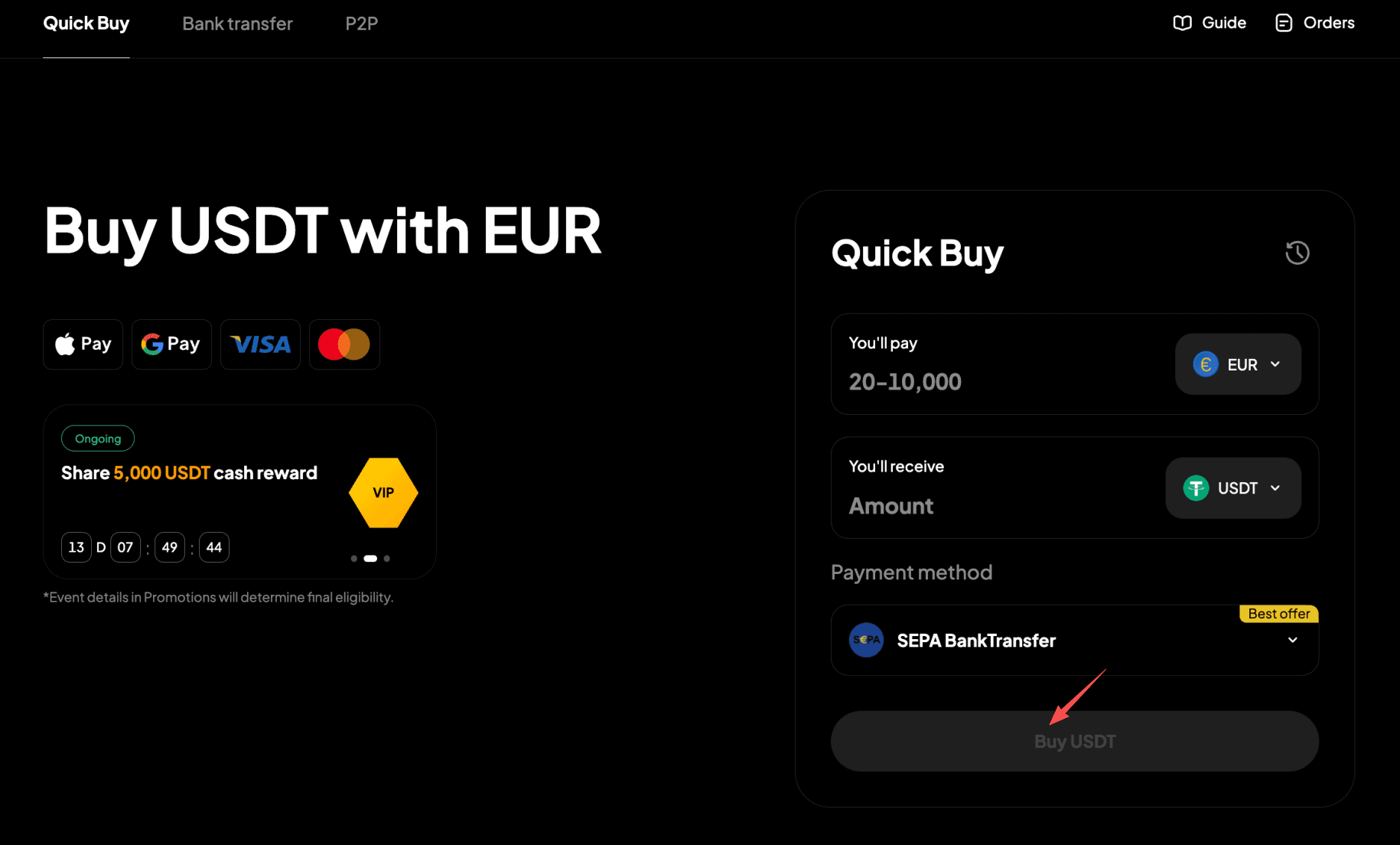
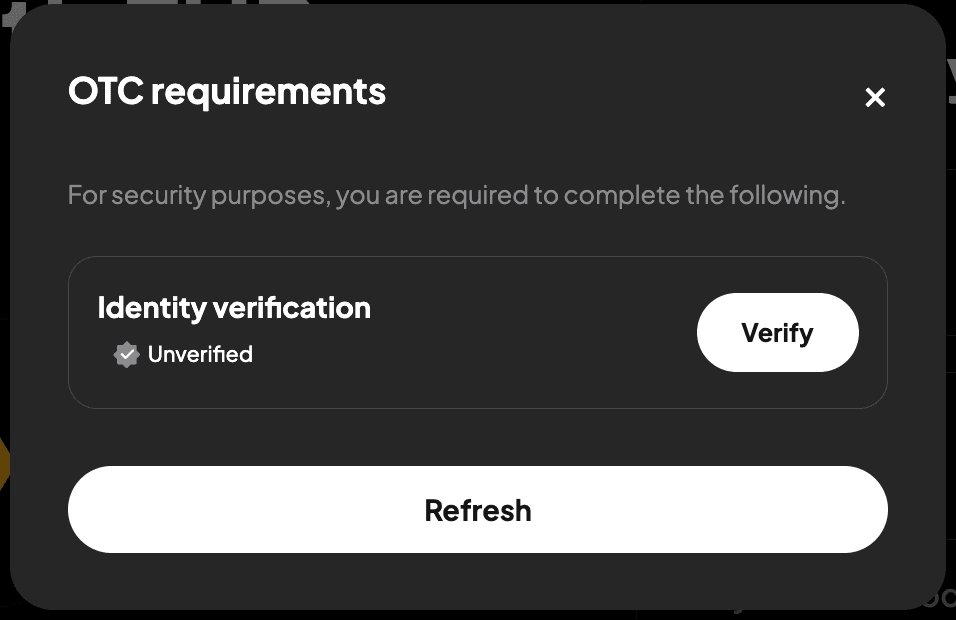
Step 4: Use the "Buy" button to proceed. Note: If you haven't completed identity verification, you'll be directed to Step 5. If you've already completed this, you'll proceed to step 6.
Step 5: Verify your identity as instructed on the page, then wait for confirmation.
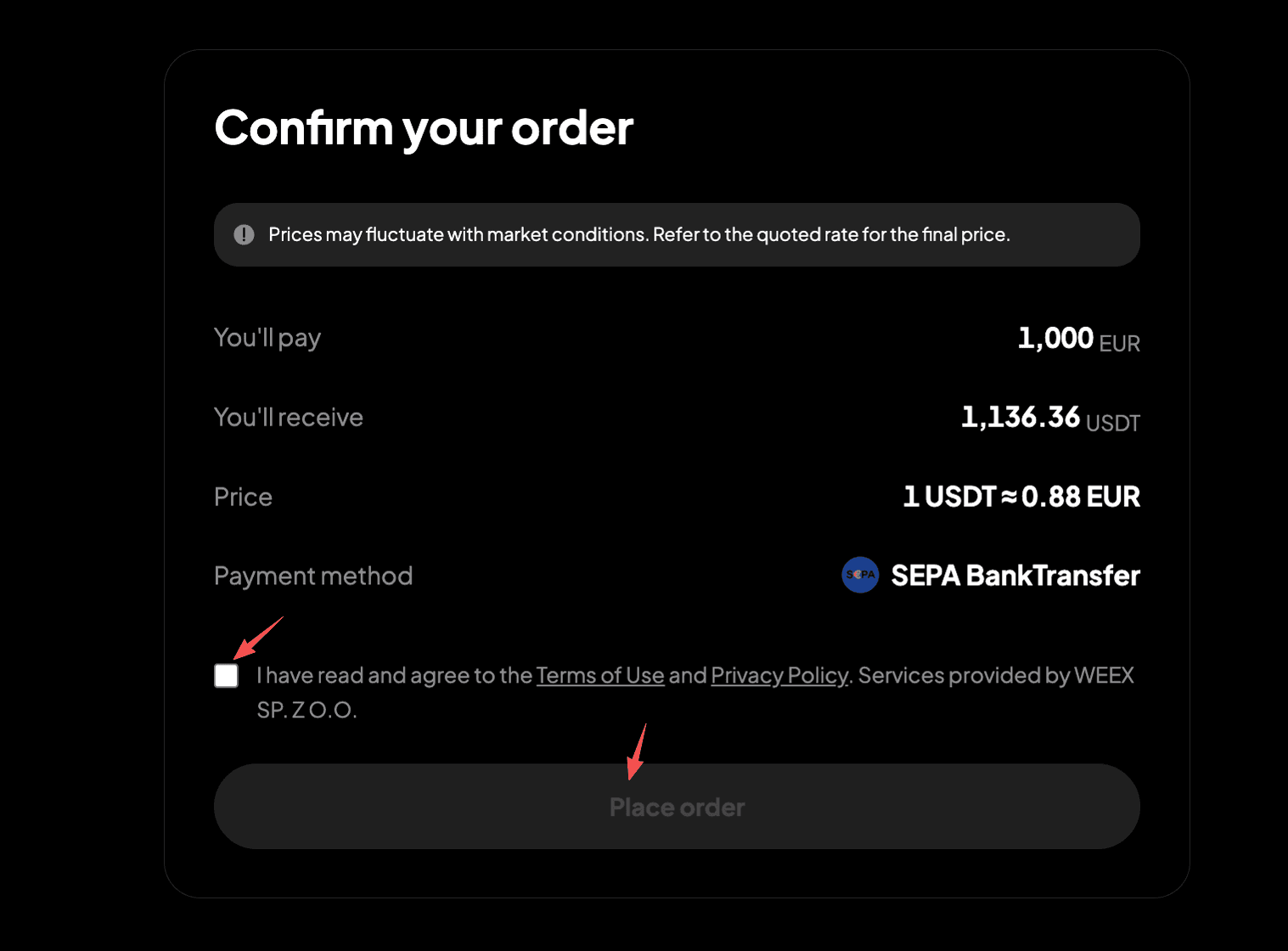
Step 6: Confirm the order details, then proceed with "Place Order."
Step 7: You'll receive the bank transfer details. Double-check all information and complete the transfer within 15 minutes.
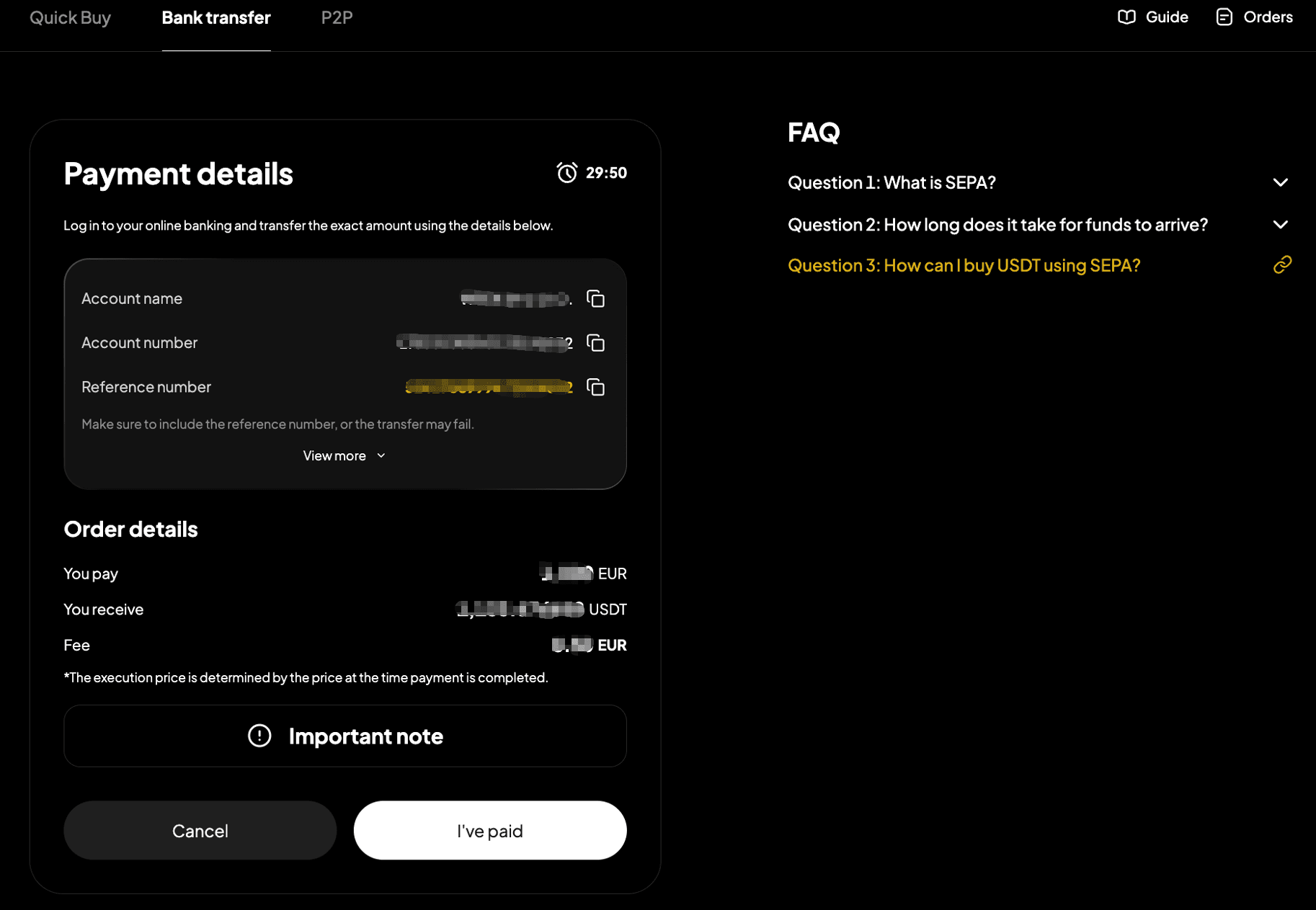
Step 8: Open your SEPA transfer app and complete the payment. Note: Enter the account name, account number, and reference number correctly to ensure smooth processing.
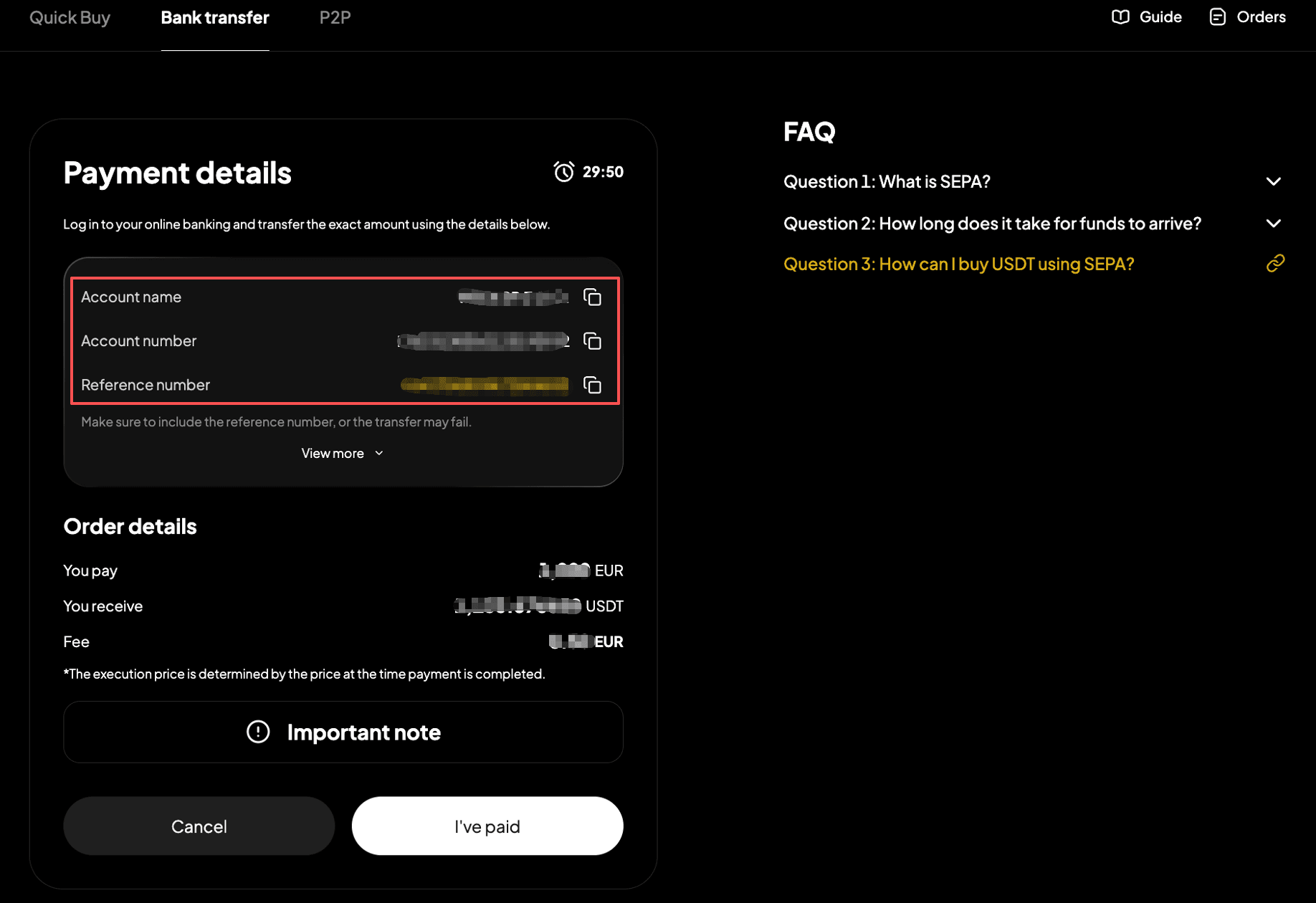
Step 9: After completing the transfer, return to the page from step 8 and select "I've Paid."
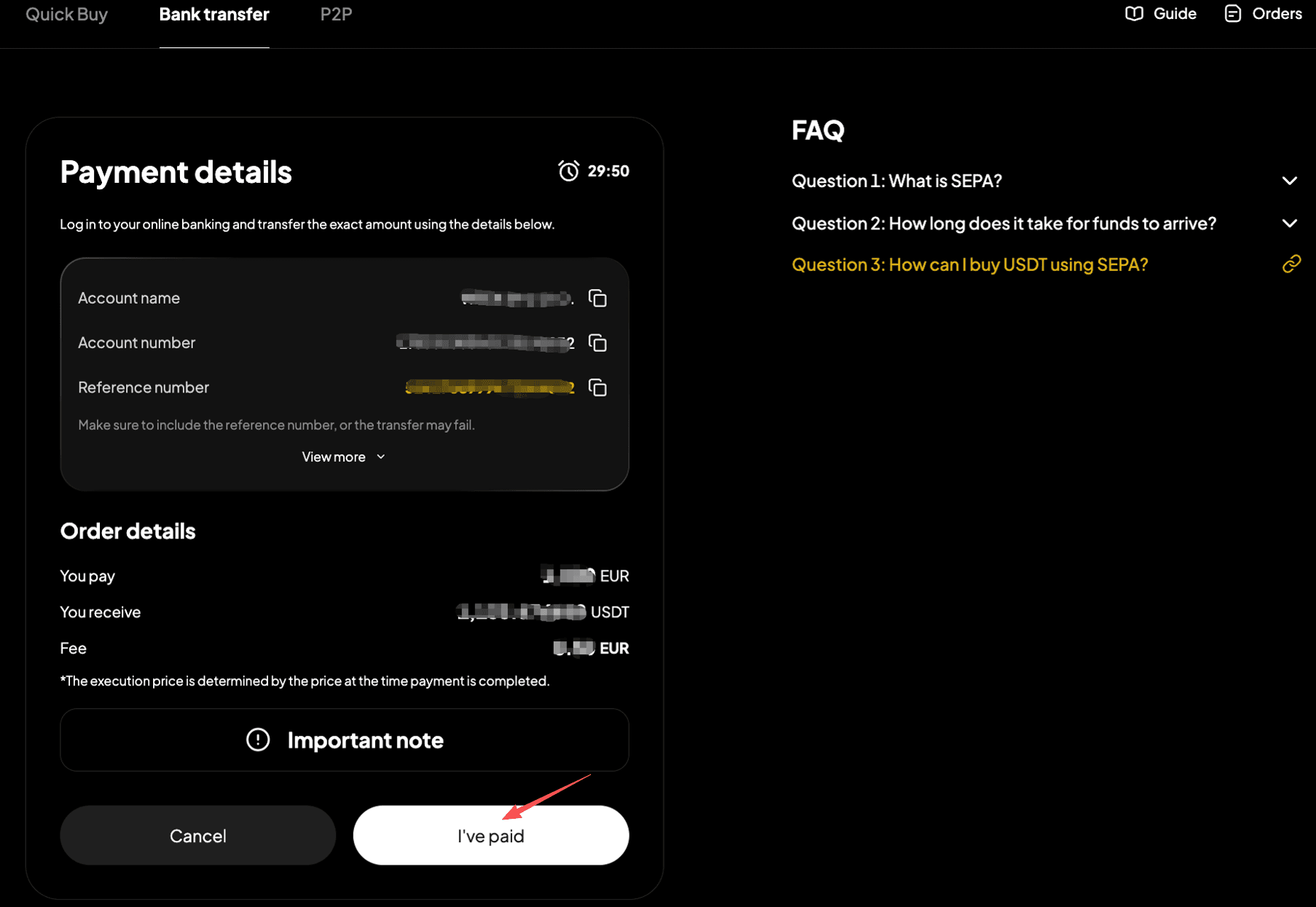
Step 10: Wait while the transaction is being processed. Your order will be completed automatically once payment is received. You can check the status in "Fiat Orders."

Method 2
Step 1: Go to the official website and find "Buy Crypto" in the top navigation bar, then enter the "Quick Buy" page.

Step 2: Select "Bank Transfer" to enter the "SEPA (Bank Transfer)" page.
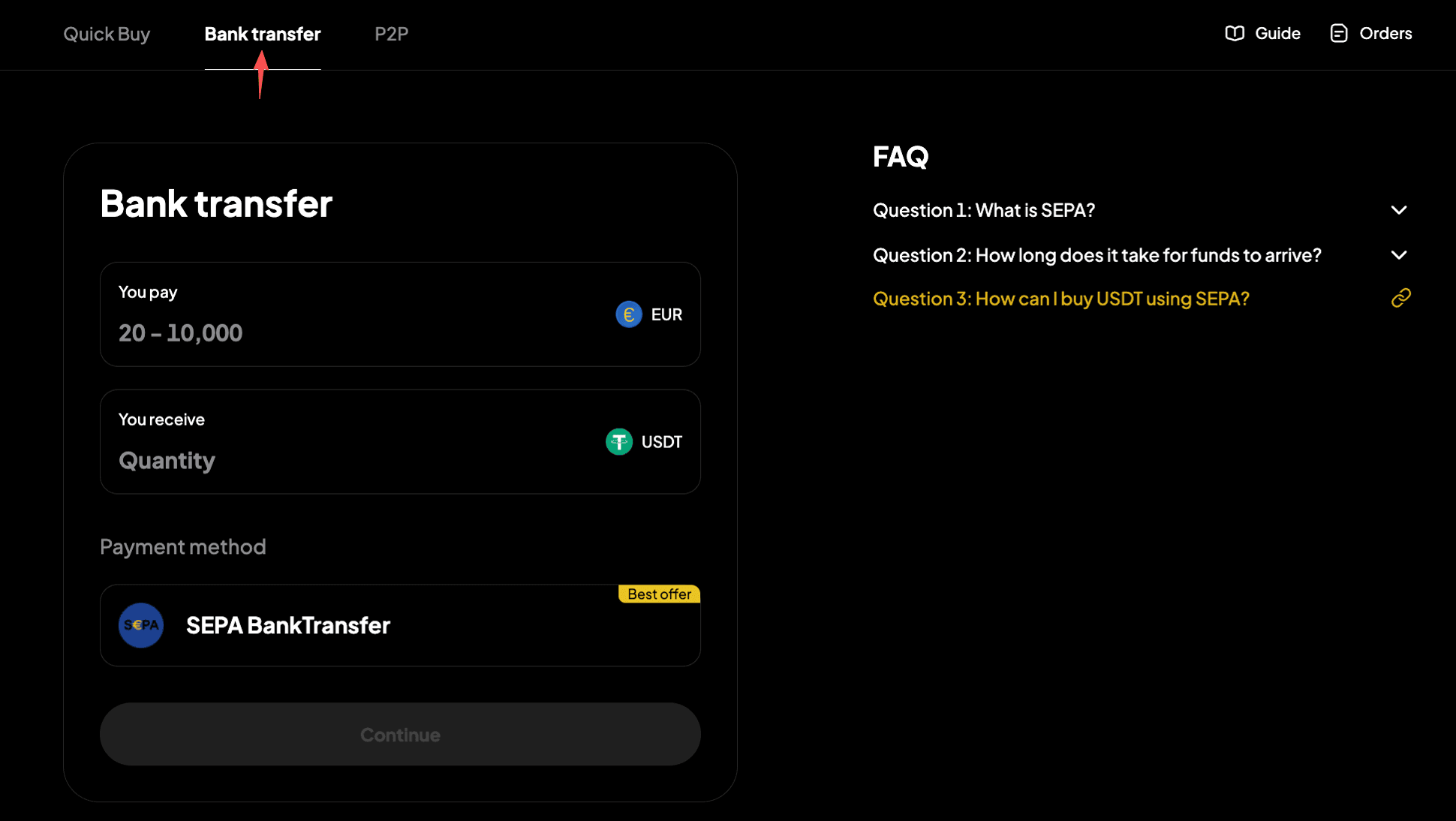
Step 3: Enter the amount of fiat currency you'd like to pay. The crypto amount will be calculated automatically.
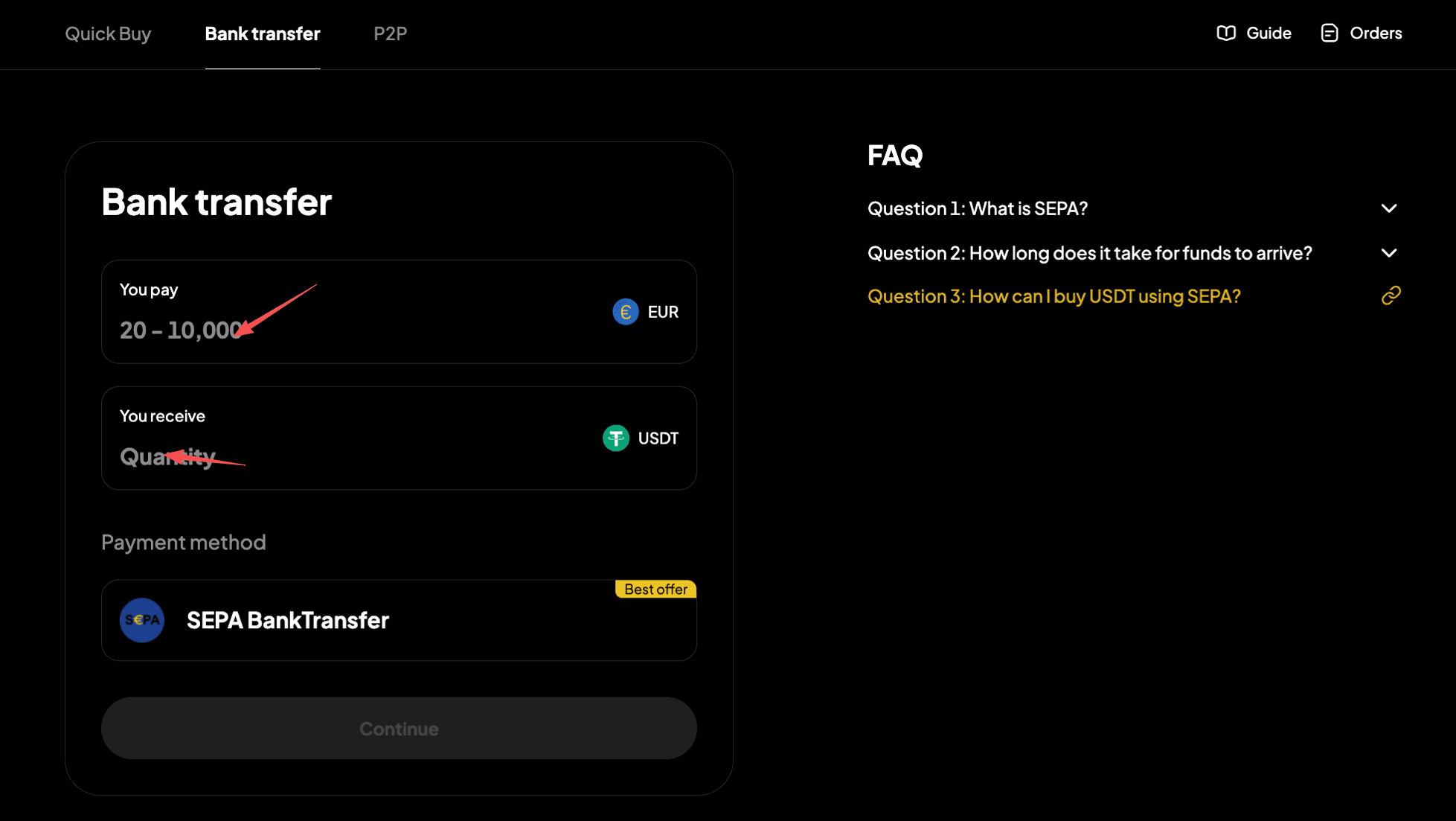
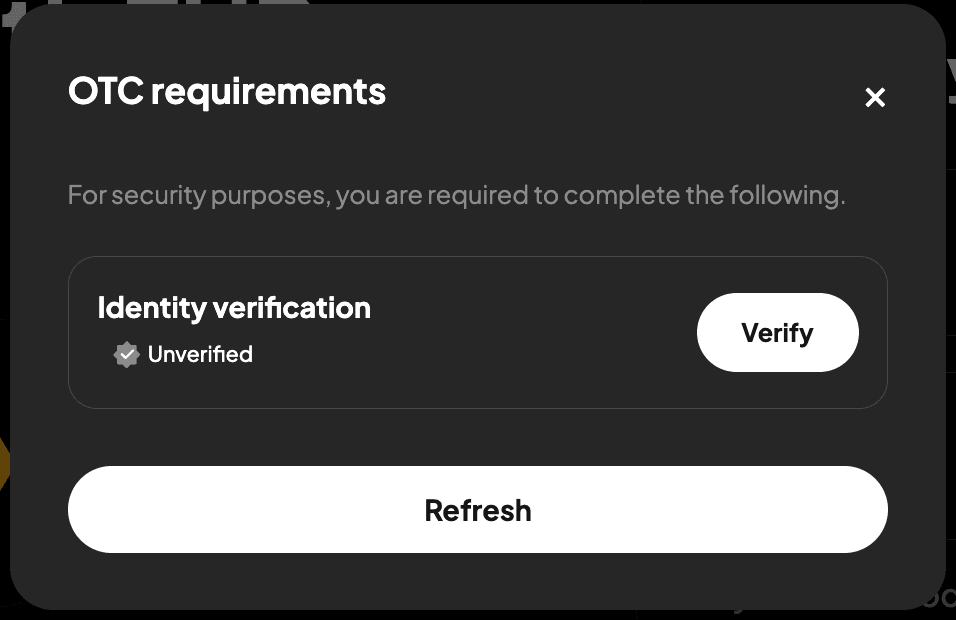
Step 4: Select "Continue" to proceed. Note: If you haven't completed identity verification, you'll be directed to Step 5. If you've already completed this, you'll proceed to step 6.
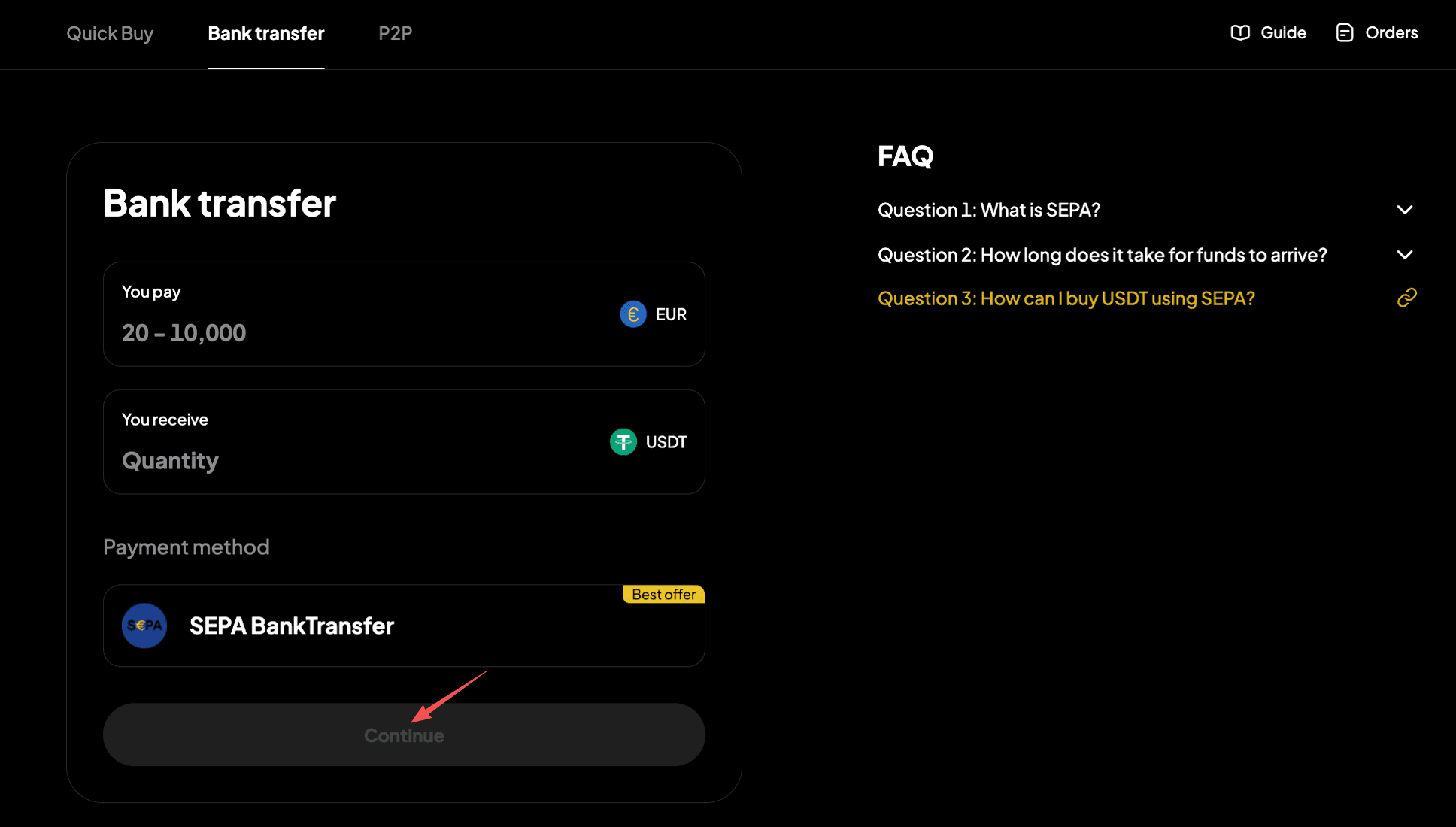
Step 5: Verify your identity as instructed on the page, then wait for confirmation.
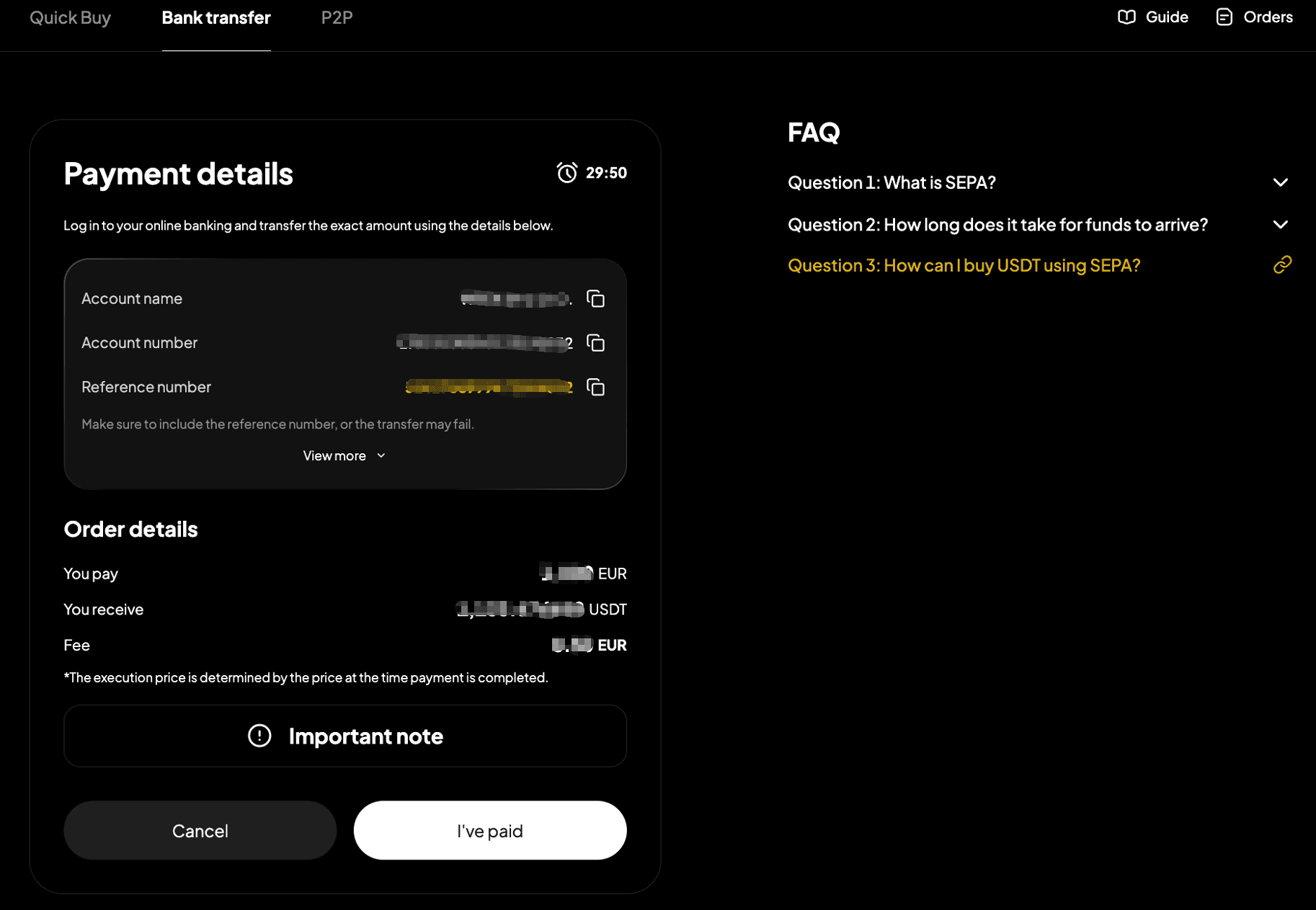
Step 6: You'll receive the bank transfer details. Double-check all information and complete the transfer within 15 minutes.
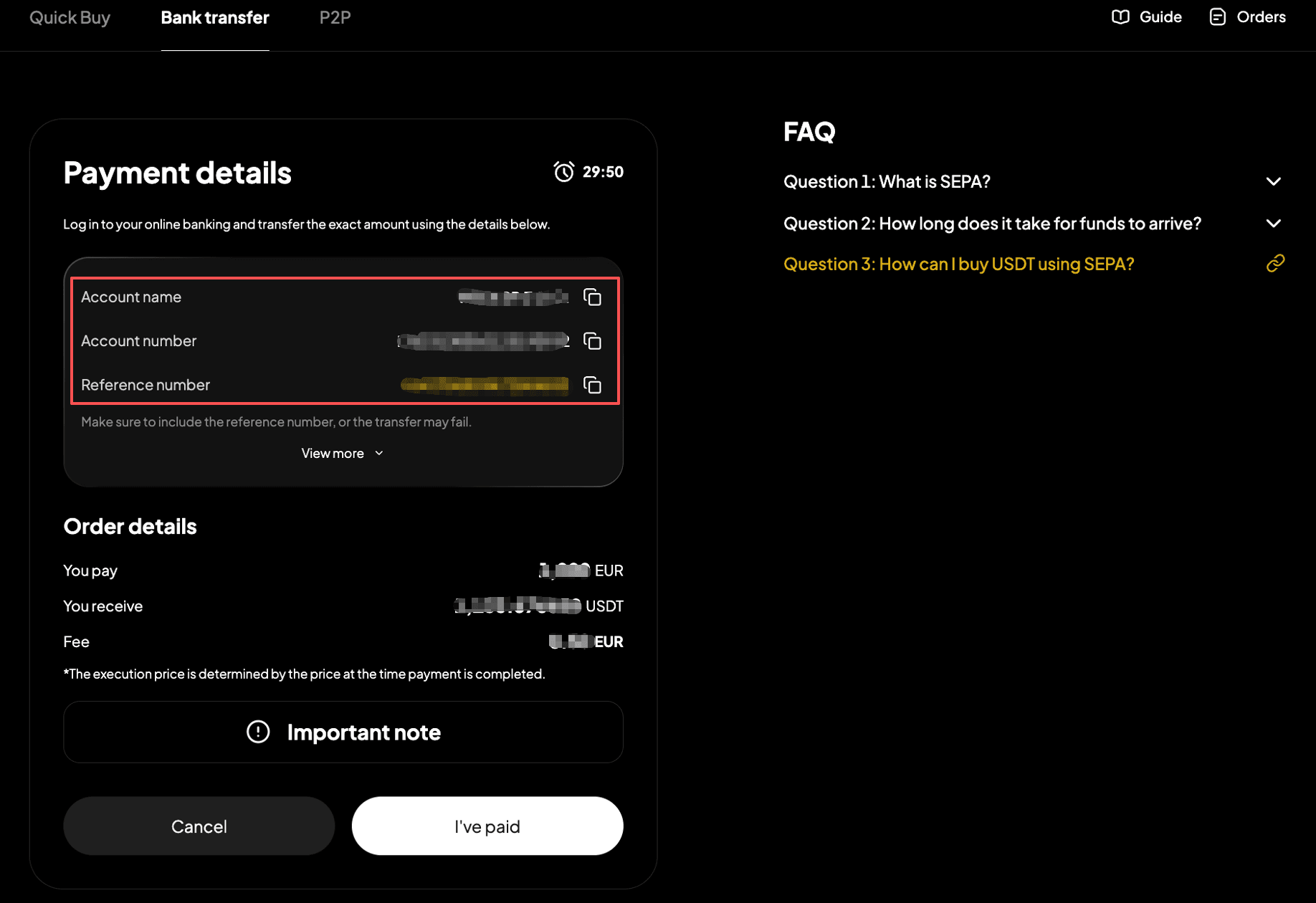
Step 7: Open your SEPA transfer app and complete the payment. Note: Enter the account name, account number, and reference number correctly to ensure smooth processing.
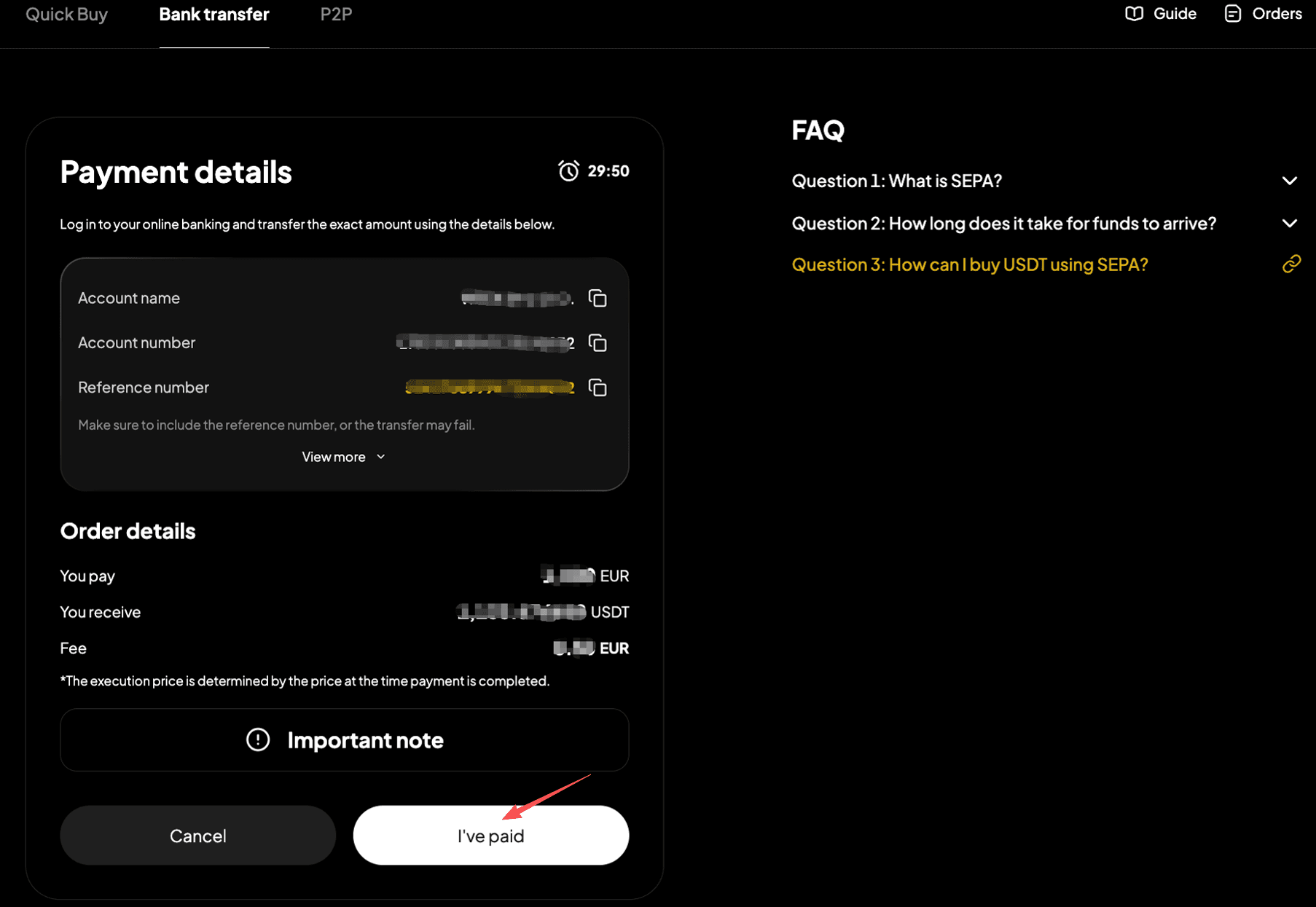
Step 8: After completing the transfer, return to the page from step 7 and select "I've Paid."
Step 9: Wait while the transaction is being processed. Your order will be completed automatically once payment is received. You can check the status in "Fiat Orders."

App
Method 1
Step 1: From the app homepage, tap "Deposit." Or go to the "Assets" page and tap "Buy Crypto."
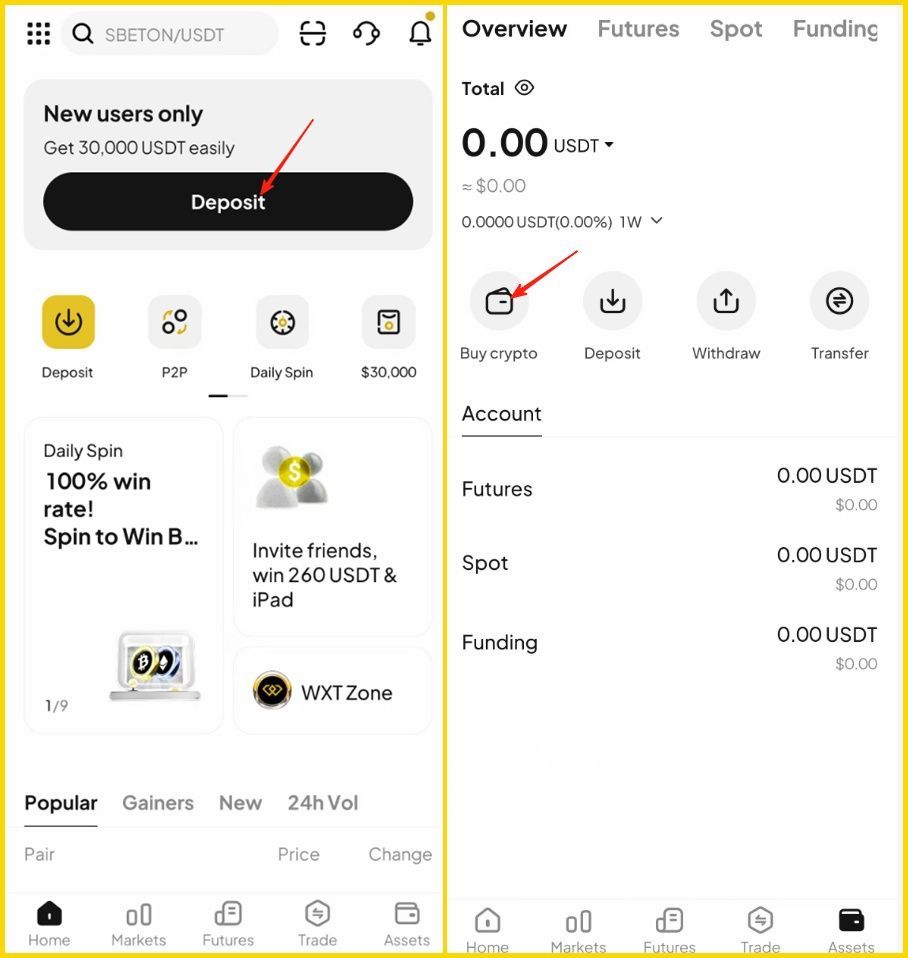
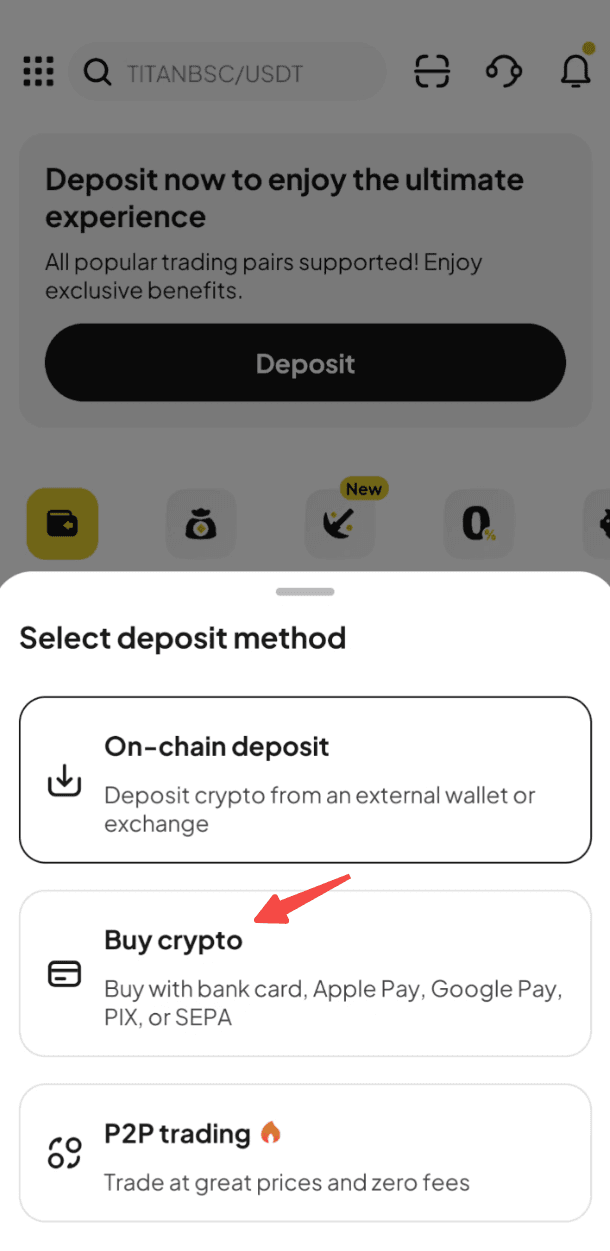
Step 2: Select "Buy Crypto" as the deposit method to enter the "Quick Buy" page.
Step 3: Select "EUR" as your fiat currency and "USDT" as the crypto you want to buy. Enter the amount of EUR you'd like to pay, and the crypto amount will be calculated automatically.
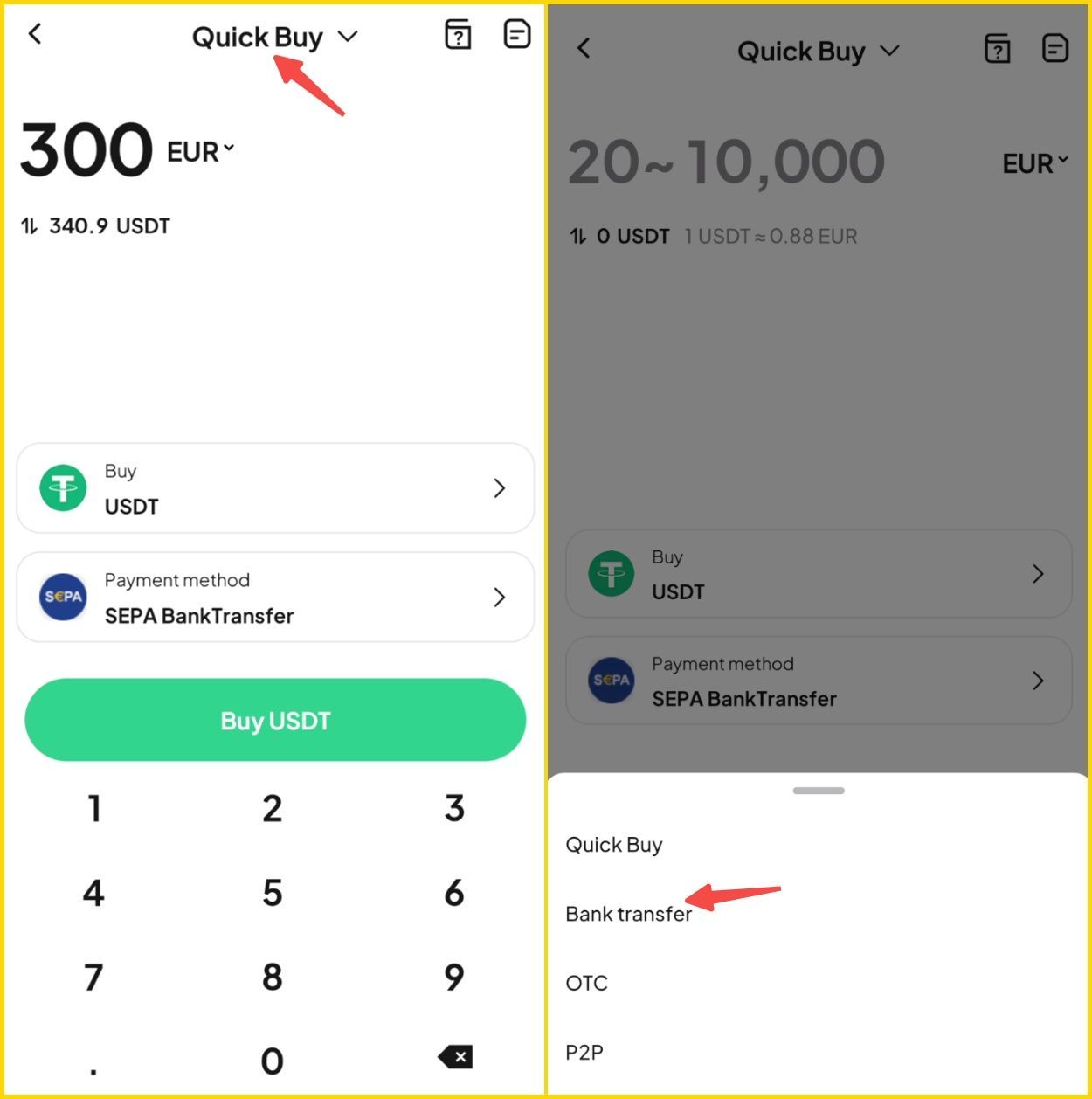
Step 4: Select "SEPA Bank Transfer" as your payment method.
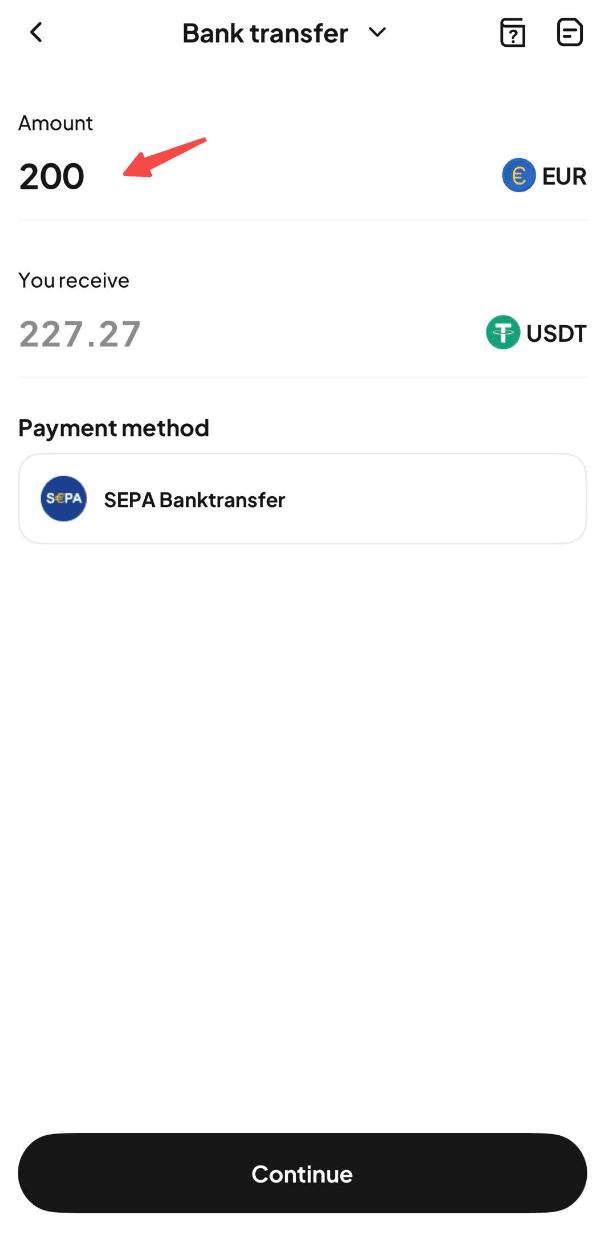
Step 5: Use the "Buy" button to proceed. Note: If you haven't completed identity verification, you'll be directed to Step 6. If you've already completed this, you'll proceed to step 7.
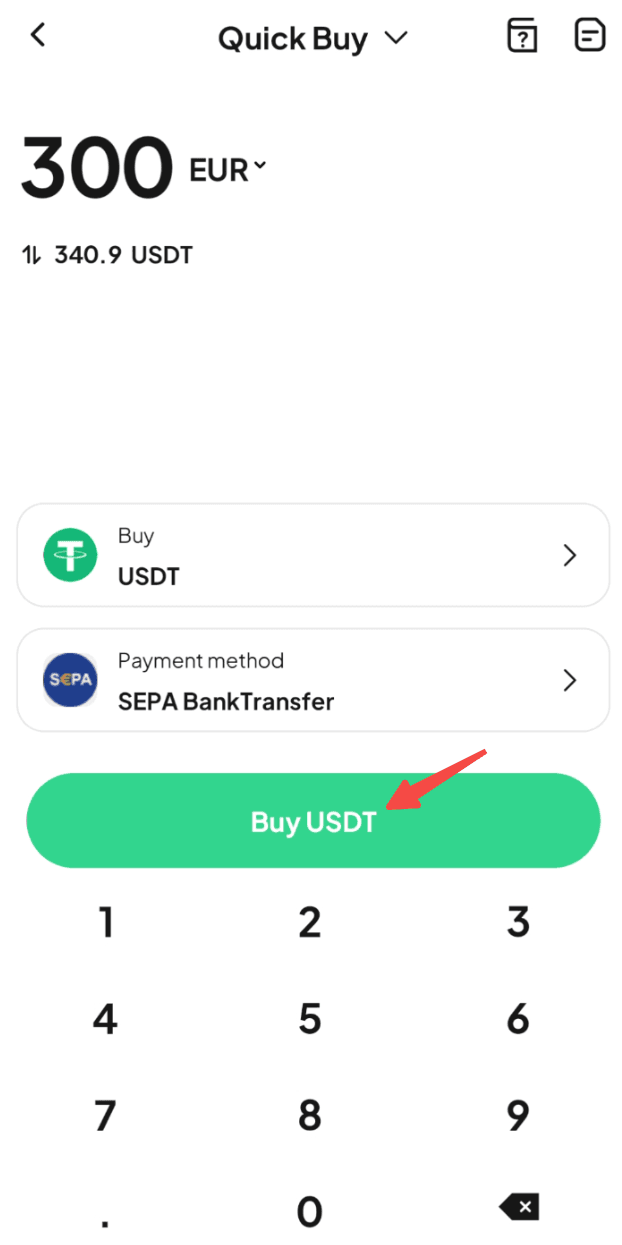
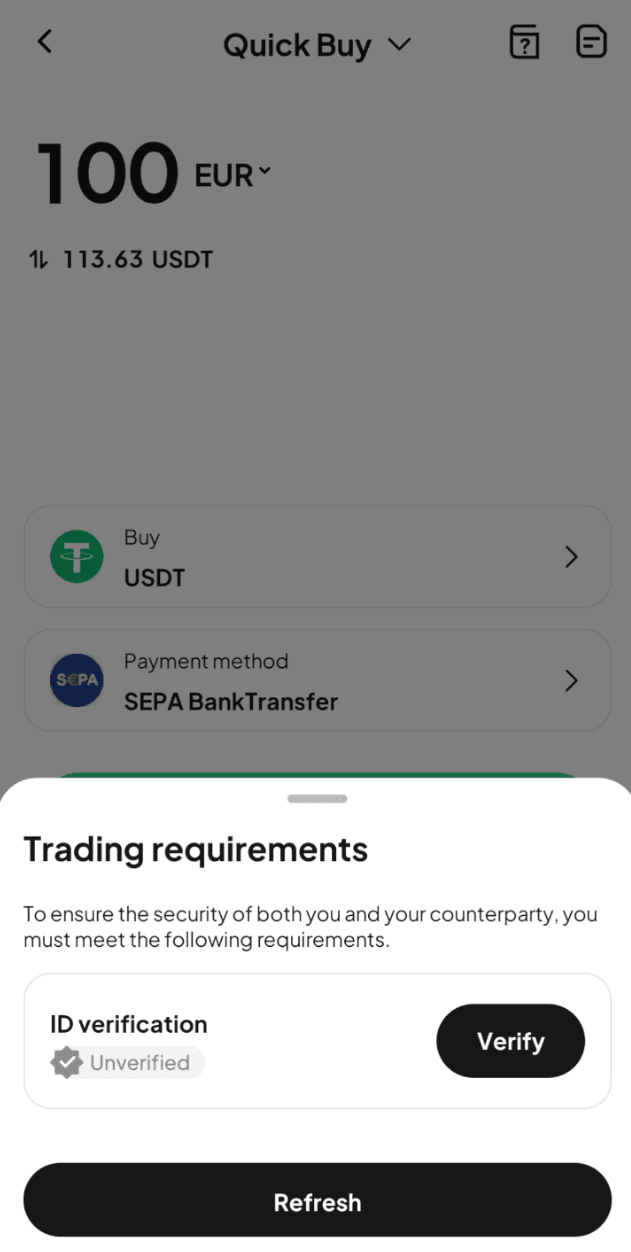
Step 6: Verify your identity as instructed on the page, then wait for confirmation.
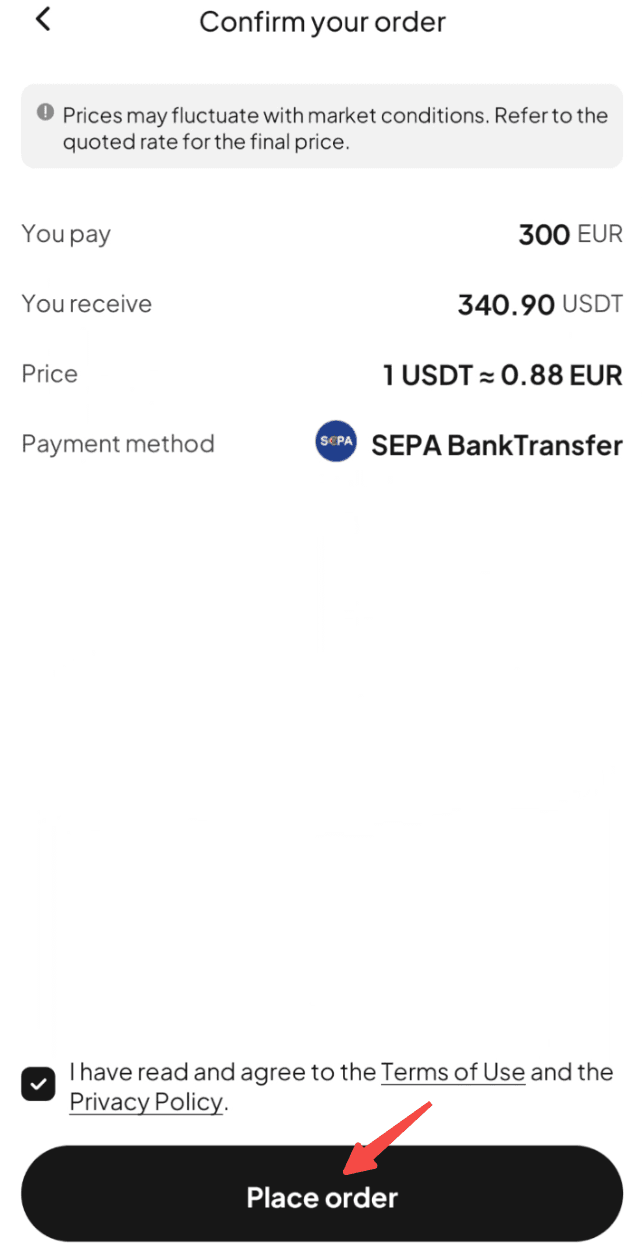
Step 7: Confirm the order details, then proceed with "Place Order."
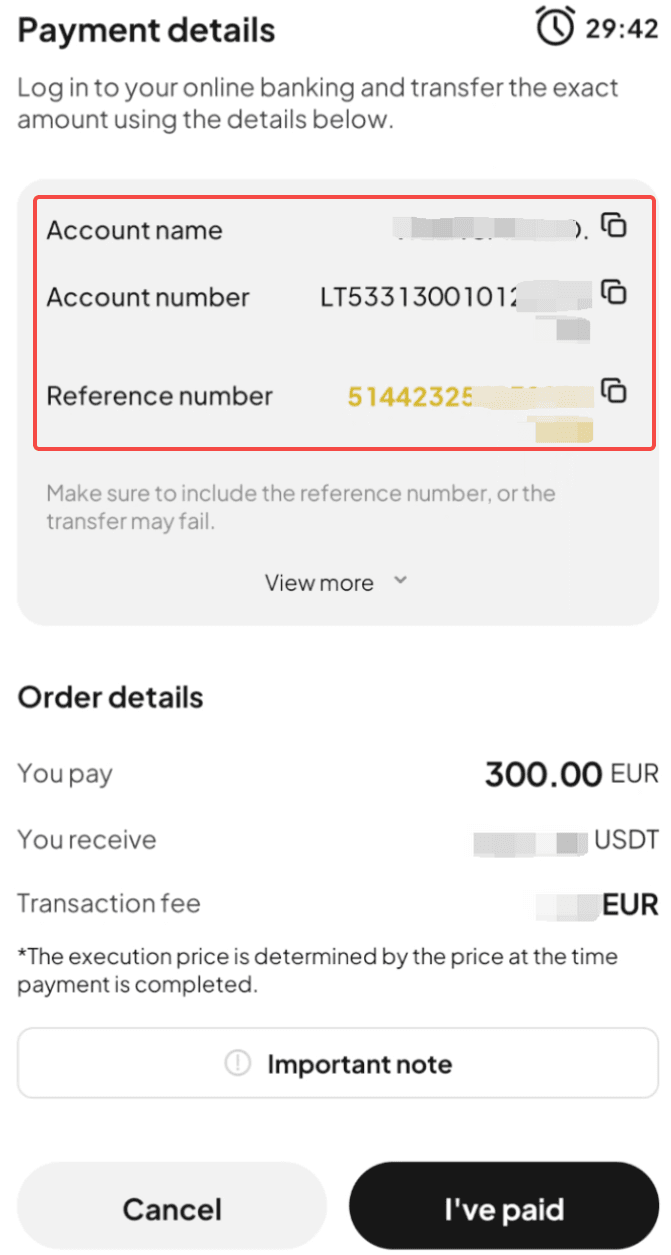
Step 8: You'll receive the bank transfer details. Double-check all information and complete the transfer within 30 minutes.
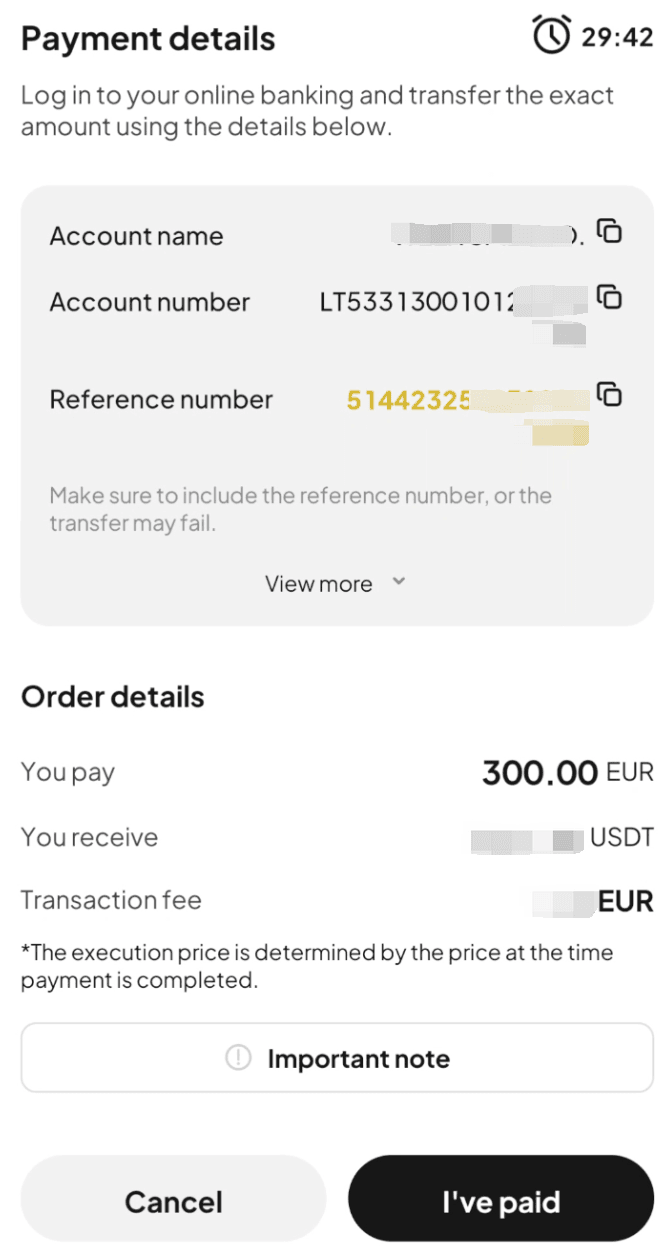
Step 9: Open your SEPA transfer app and complete the payment. Note: Enter the account name, account number, and reference number correctly to ensure smooth processing.
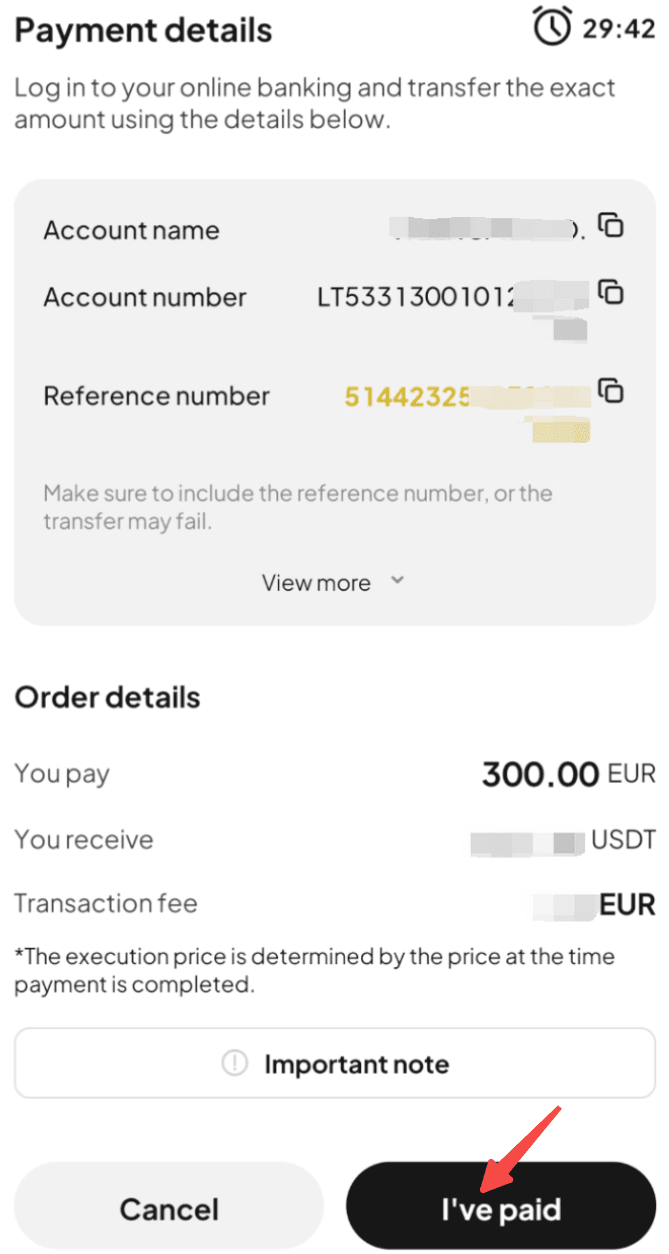
Step 10: After completing the transfer, return to the page from step 8 and select "I've Paid."
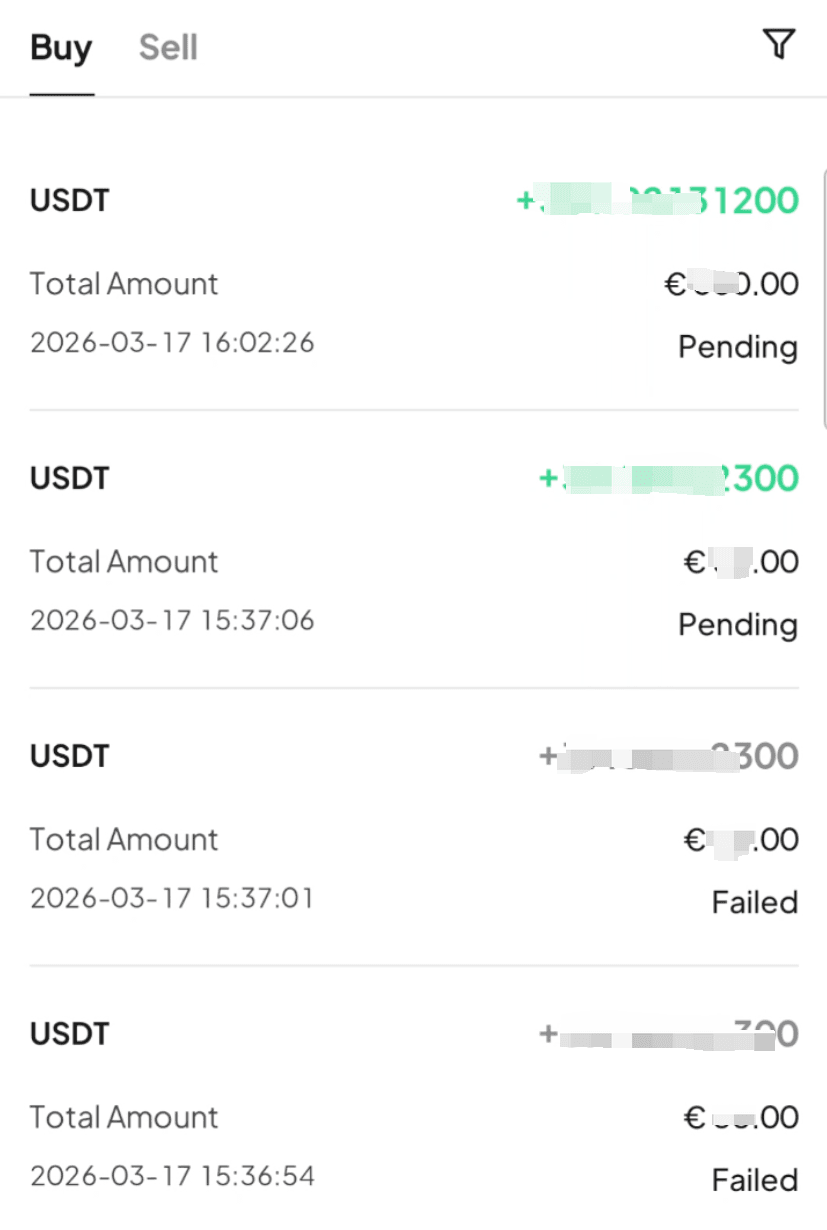
Step 11: Wait while the transaction is being processed. Your order will be completed automatically once payment is received. You can check the status in "Fiat Orders."
Method 2
Step 1: From the app homepage, tap "Deposit." Or go to the "Assets" page and tap "Buy Crypto."
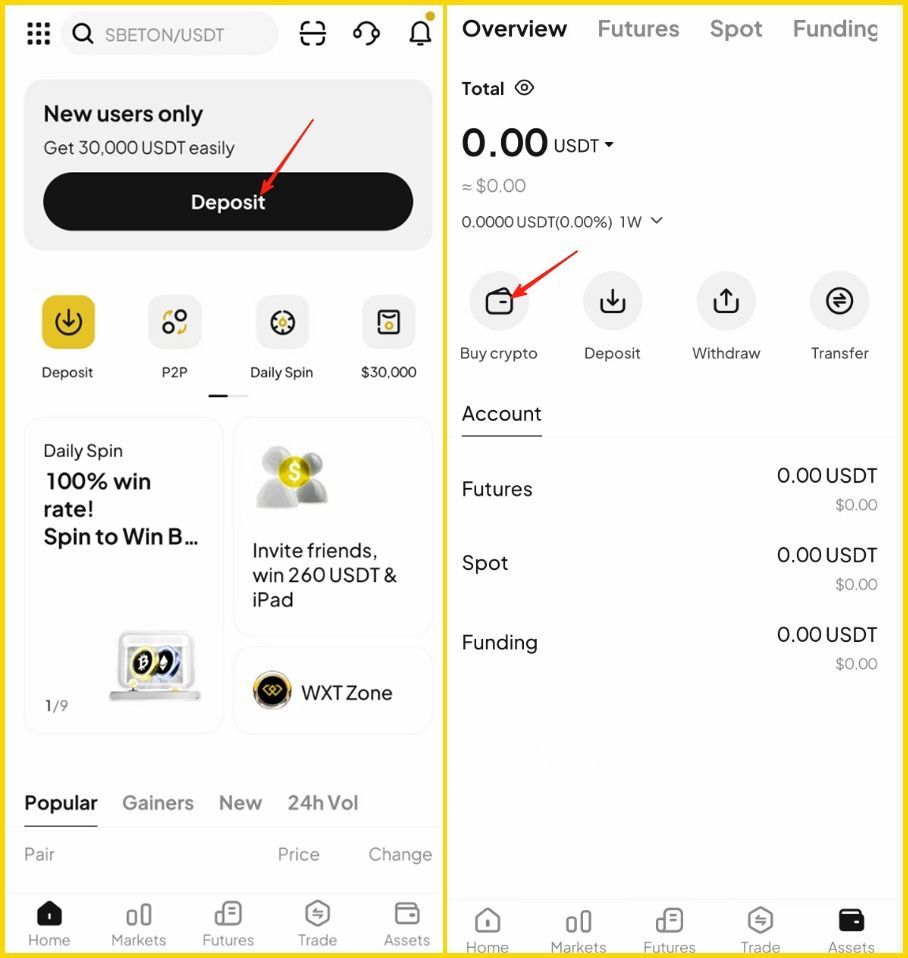
Step 2: Select "Buy Crypto" as the deposit method to enter the "Quick Buy" page.
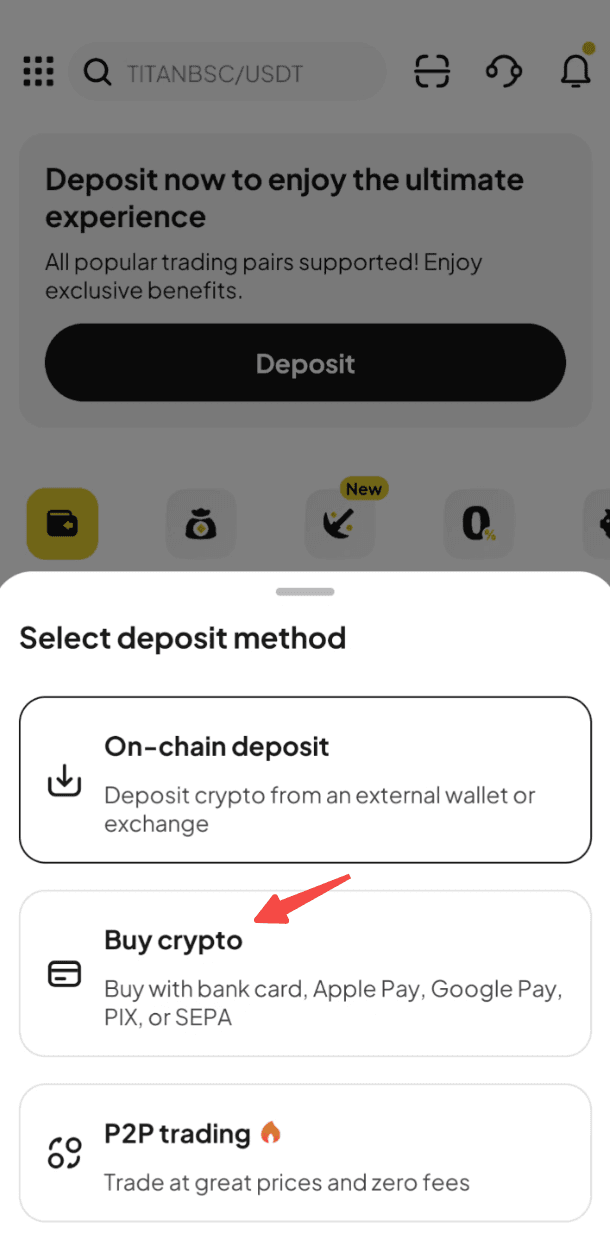
Step 3: Select "SEPA Bank Transfer" and proceed.
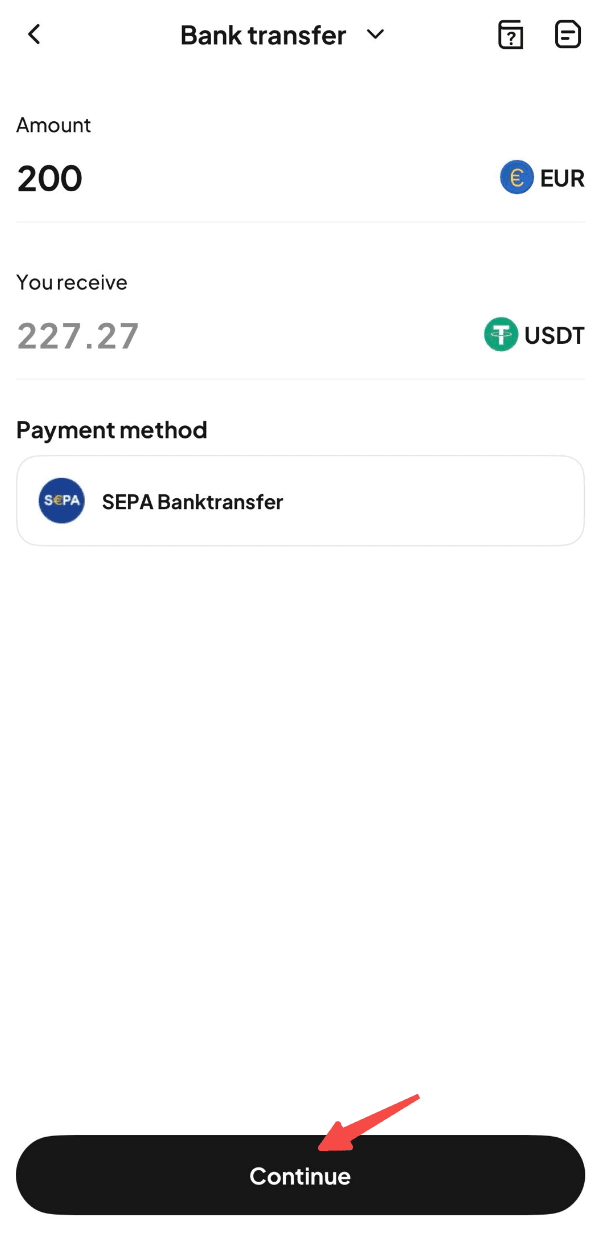
Step 4: Enter the amount of fiat currency you'd like to pay. The crypto amount will be calculated automatically.
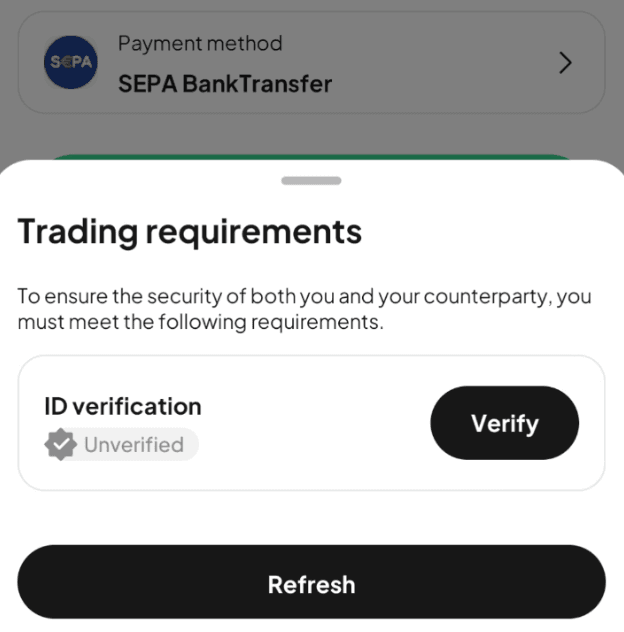
Step 5: Tap "Continue" to proceed. Note: If you haven't completed identity verification, you'll be directed to Step 6. If you've already completed this, you'll proceed to step 7.
Step 6: Verify your identity as instructed on the page, then wait for confirmation.
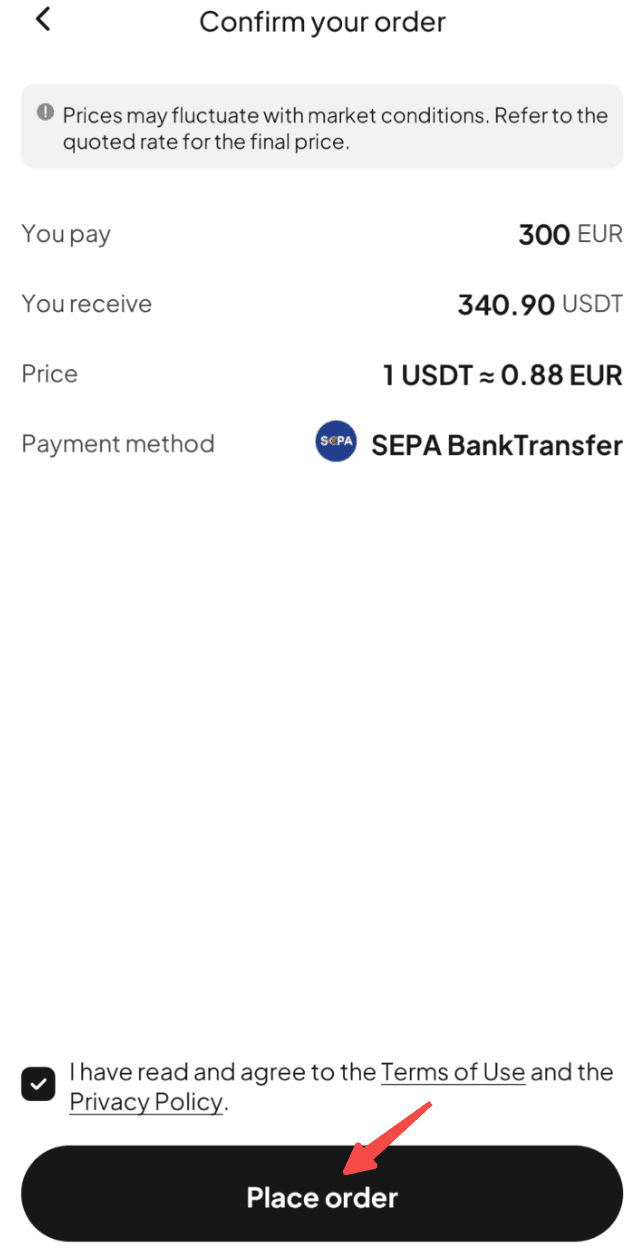
Step 7: Confirm the order details, then proceed with "Place Order."
Step 8: You'll receive the bank transfer details. Double-check all information and complete the transfer within 30 minutes.
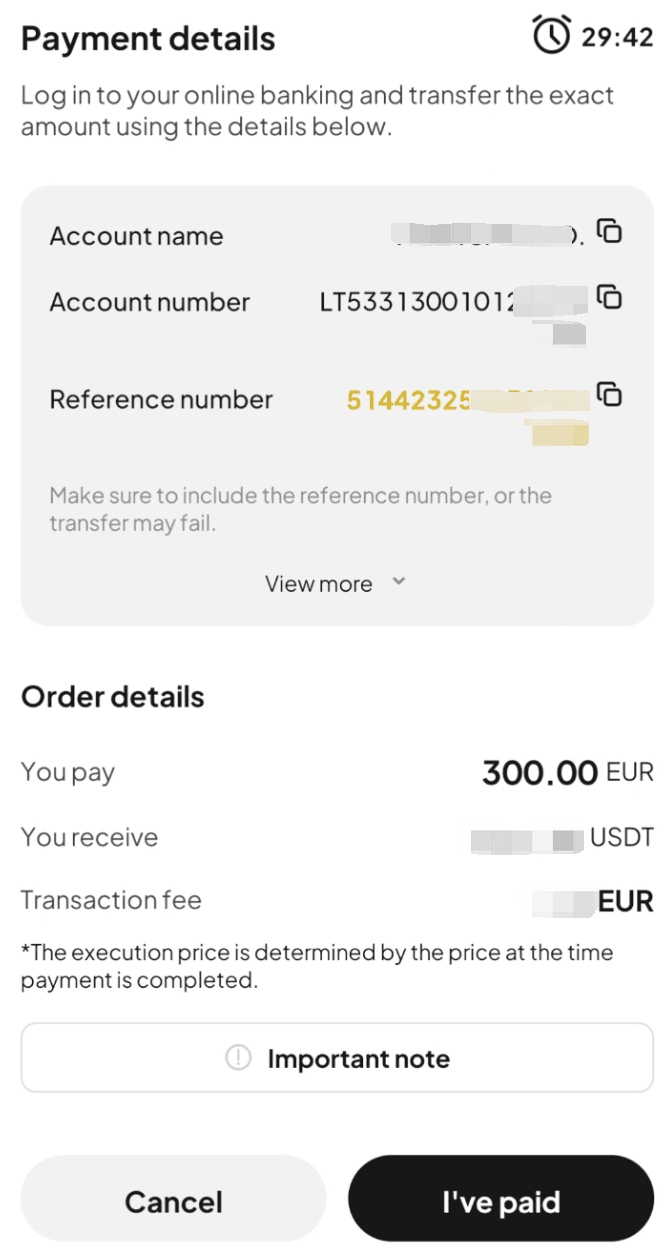
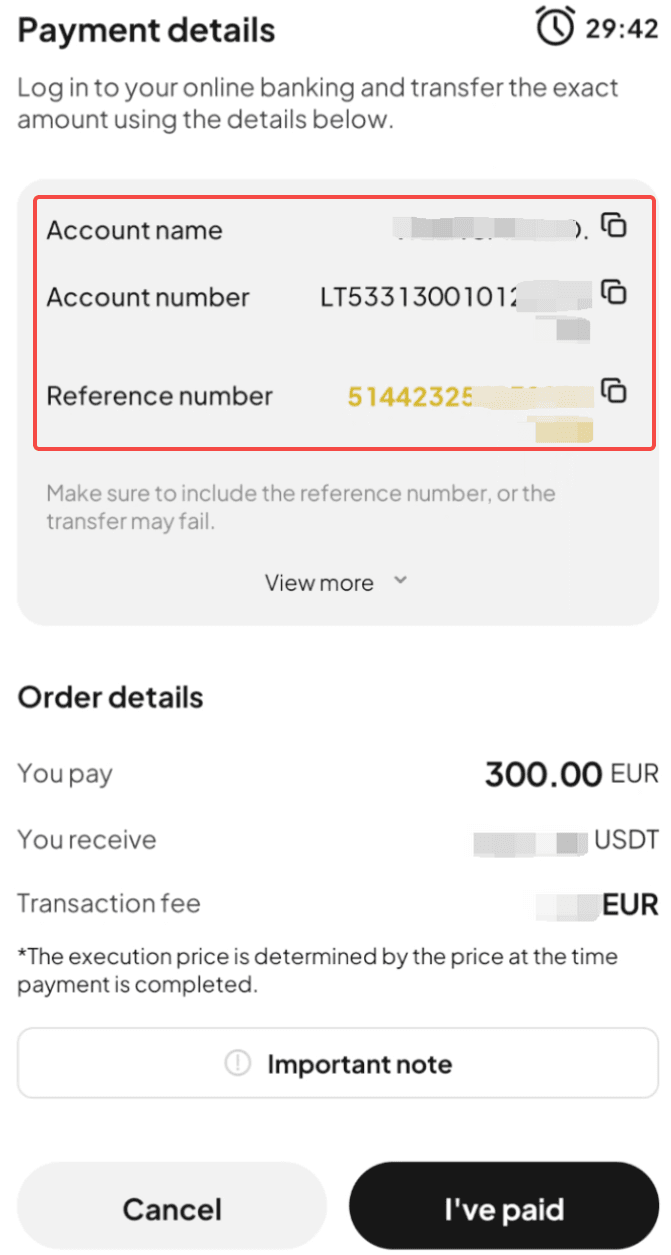
Step 9: Open your SEPA transfer app and complete the payment. Note: Enter the account name, account number, and reference number correctly to ensure smooth processing.
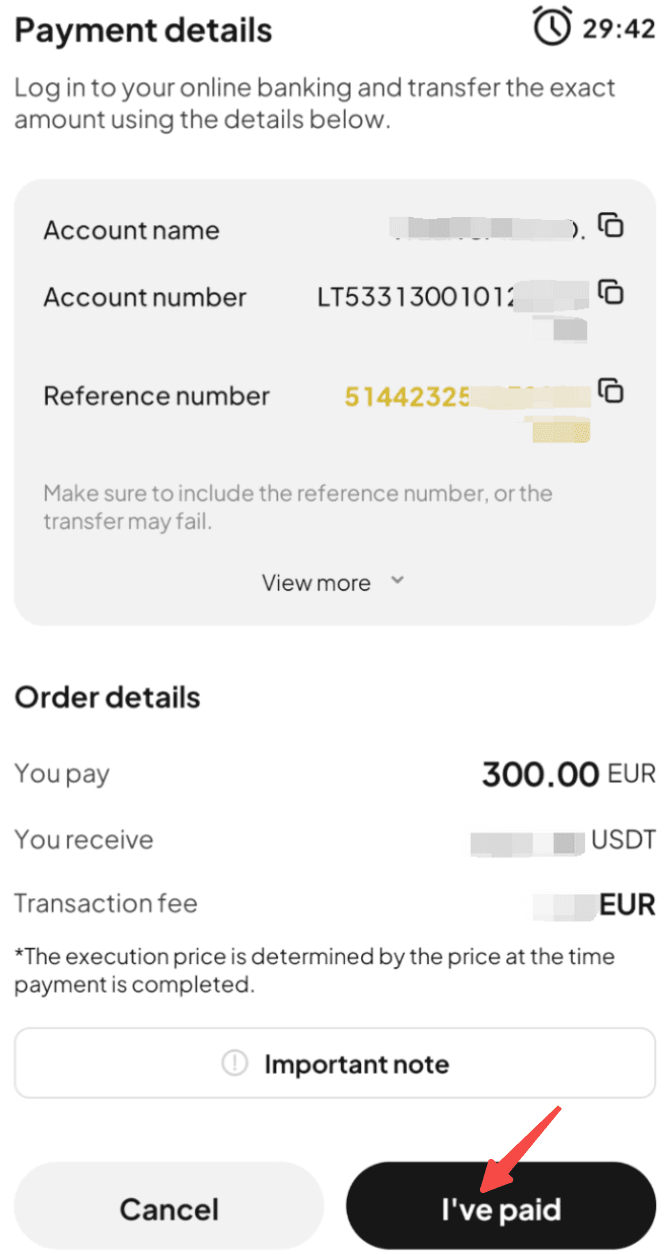
Step 10: After completing the transfer, return to the page from step 8 and select "I've Paid."
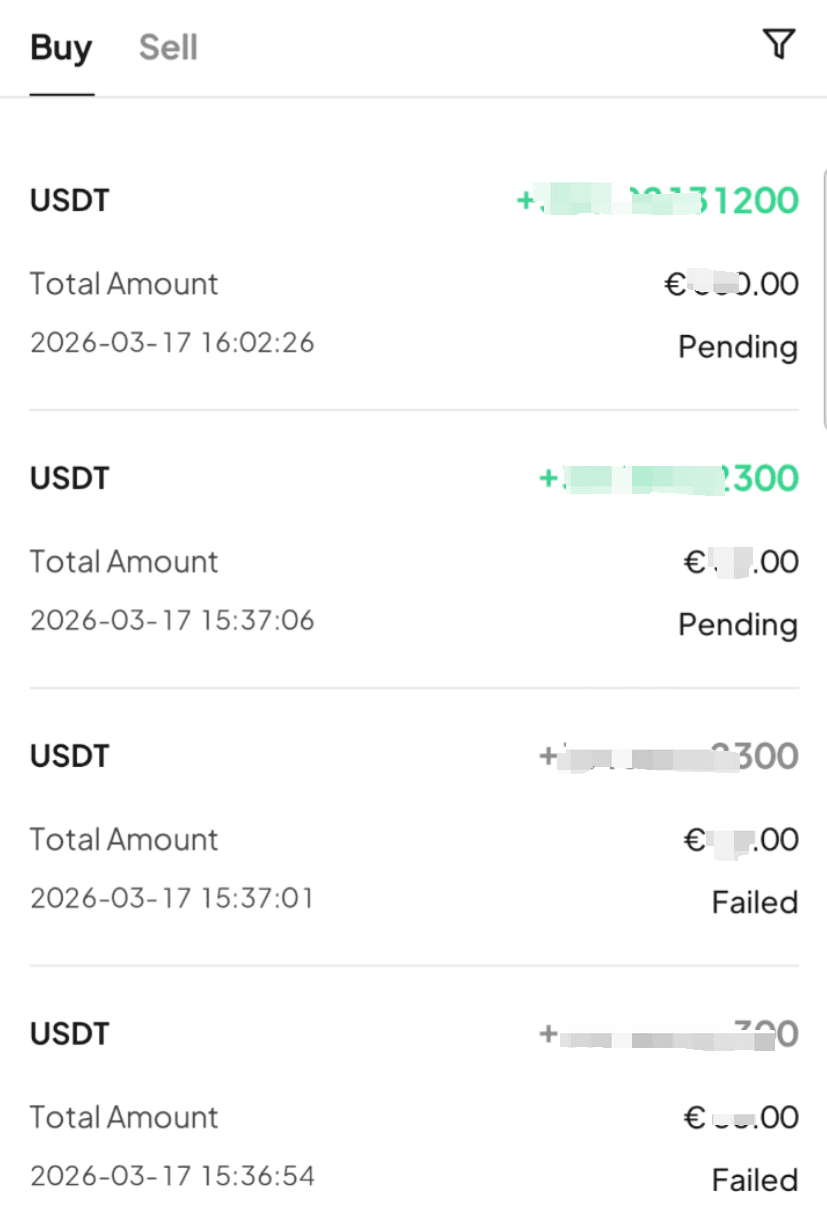
Step 11: Wait while the transaction is being processed. Your order will be completed automatically once payment is received. You can check the status in "Fiat Orders."

Gainers


